


H&R Block Small Business Taxes: How To File For LLCs
If you're running an LLC, figuring out H&R Block small business taxes can feel like a project in itself. Between choosing the right software tier, understanding which forms apply to your entity type, and deciding whether to file on your own or hire a pro, there's a lot to sort through before you ever touch a tax return. H&R Block offers several options for small business owners, but knowing which one fits your situation saves you both money and headaches.
This guide breaks down exactly how H&R Block handles LLC tax filing, the software packages, the costs, the supported entity types, and the step-by-step process for getting your return filed. We'll also cover where their tools fall short and when it makes sense to work with a dedicated tax professional instead. At TaxesToday, we prepare taxes for single-member LLCs, S-Corps, and self-employed filers every day, so we know where DIY software helps and where it doesn't.
Whether you're considering H&R Block's self-filing software or weighing it against professional preparation, you'll walk away from this article with a clear picture of your options and the confidence to pick the right one.
Who this guide fits and what you need first
This guide is built for LLC owners who want to understand how H&R Block small business taxes work before committing to a filing path. Whether you run a single-member LLC treating your business like a sole proprietorship or a multi-member LLC filing as a partnership, the steps here apply directly to your situation.
LLC types this guide covers
H&R Block supports single-member LLCs, multi-member LLCs, and LLCs that have elected S-Corp status. Each type gets taxed differently, which means you'll use different forms and possibly different H&R Block products. This guide walks through all three so you can identify your type and follow the right path.
If your LLC has elected S-Corp status, you're filing a separate business return (Form 1120-S) on top of your personal return, and that combination changes your cost and workflow significantly.
What to gather before you start
Pulling your documents together before you open any software or call a preparer saves you from stopping mid-filing to track down numbers. Here's what you need on hand:
| Document | Why you need it |
|---|---|
| EIN (Employer Identification Number) | Required for any business return |
| Profit and loss summary | Shows your net income or loss for the year |
| 1099-NEC or 1099-K forms | Reports income from clients or payment processors |
| Business expense records | Supports deductions for office, equipment, and mileage |
| Prior year tax return | Gives your preparer or software a baseline |
| State business registration info | Required for state-level filings |
Having these documents ready before you start reduces interruptions and lowers your chance of filing errors. If you use accounting software, export your year-end profit and loss report now so all the numbers are in one place when you begin.
Step 1. Confirm how your LLC gets taxed
The way the IRS taxes your LLC determines which forms you file and which H&R Block product you actually need. Getting this wrong means submitting the wrong return, which can trigger IRS notices or leave deductions unclaimed. Before you open any H&R Block small business taxes software, confirm your LLC's tax classification.
The four tax treatments your LLC can have
Your LLC doesn't have a single tax treatment across all situations. The IRS assigns one based on your structure and any elections you've filed, so check before assuming.
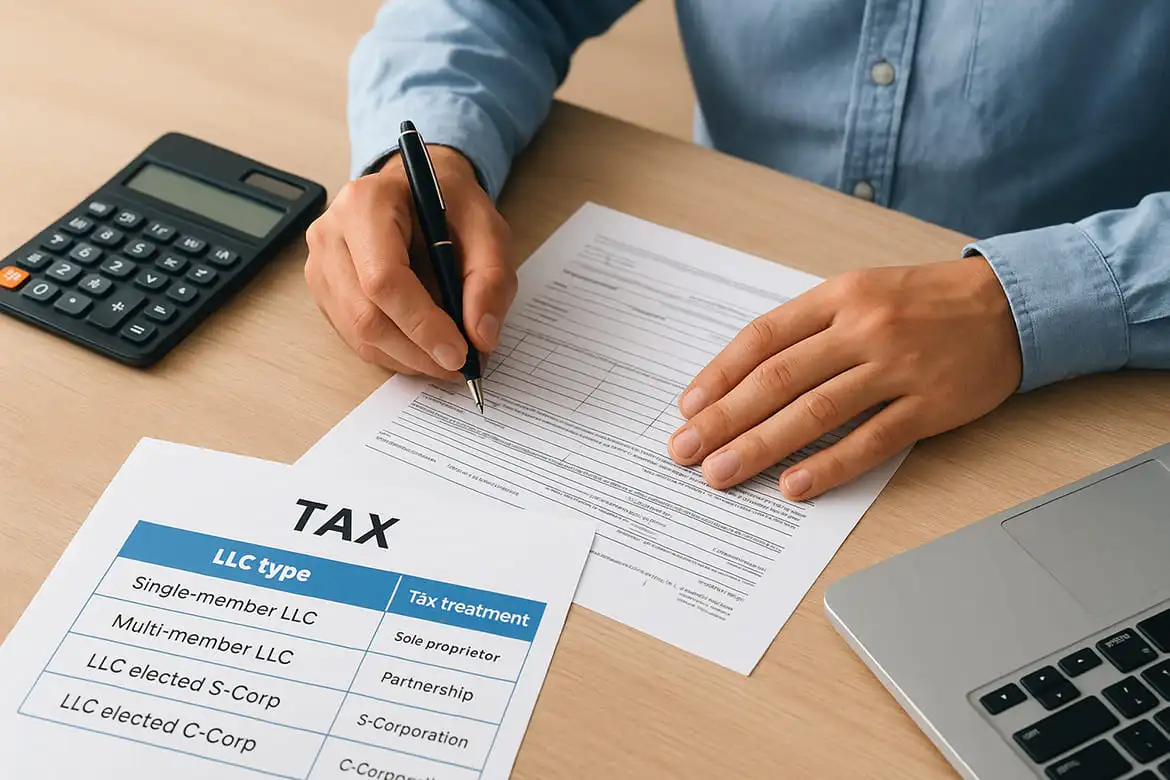
| LLC type | Tax treatment | Key form |
|---|---|---|
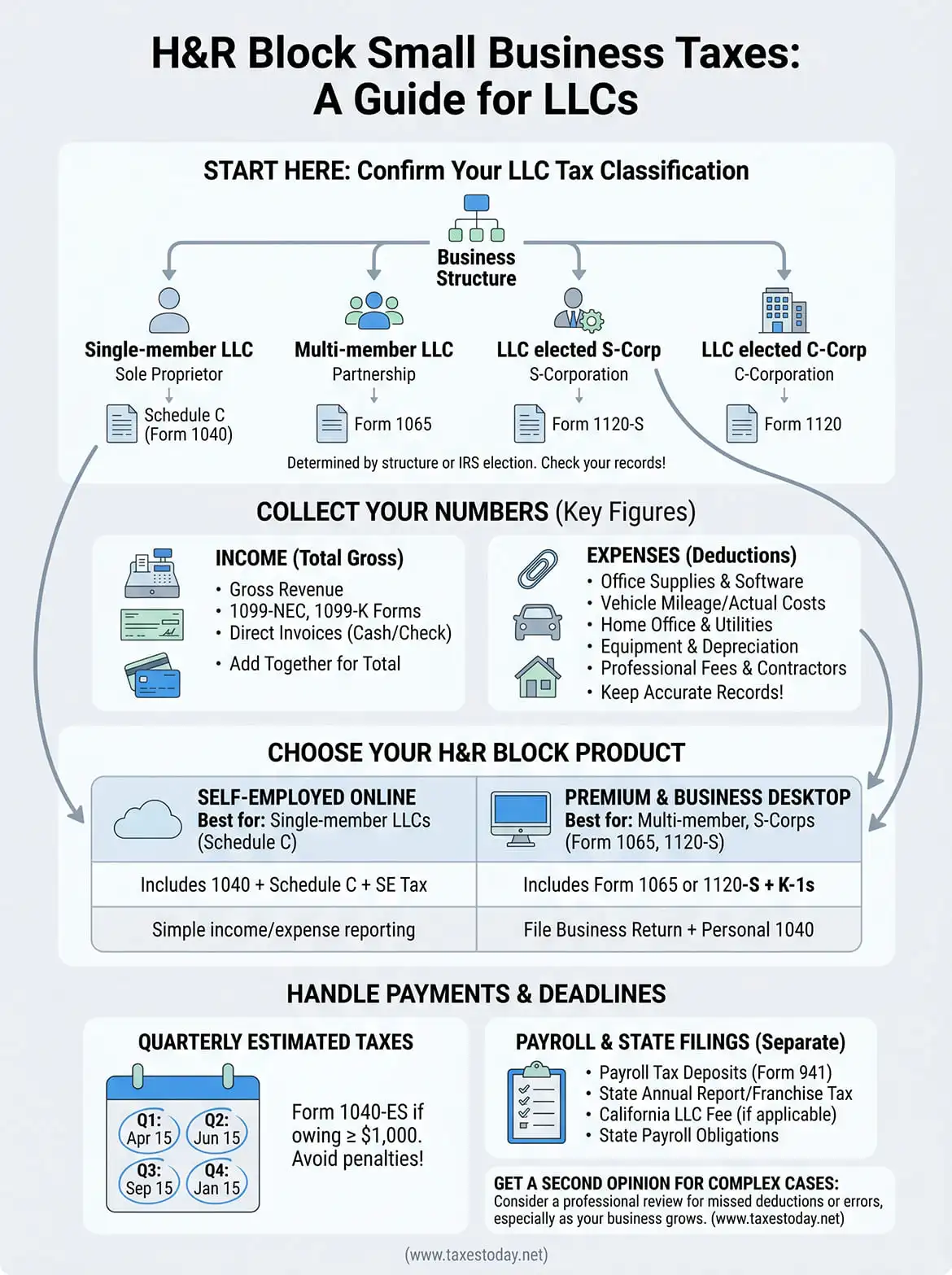
| Single-member LLC | Sole proprietor (disregarded entity) | Schedule C on Form 1040 |
| Multi-member LLC | Partnership | Form 1065 |
| LLC elected S-Corp | S-Corporation | Form 1120-S |
| LLC elected C-Corp | C-Corporation | Form 1120 |
Check your IRS acceptance letter from when you filed Form 2553 (S-Corp election) or Form 8832 (C-Corp election) to confirm your current status. If you never filed an election, your default treatment applies. Most single-owner LLC filers land on Schedule C, which is the simplest path and supported by H&R Block's Self-Employed online tier.
If you're unsure of your classification, pull your most recent tax return and check which forms were included.
Step 2. Collect the numbers H&R Block will ask for
Once you know your tax classification, gather the specific figures that H&R Block small business taxes software will prompt you for during filing. Missing a number mid-session forces you to stop, track it down, and risk entering estimates that can trigger an IRS mismatch notice later.
Income figures you need
Your total gross revenue for the year is the starting point. Pull every 1099-NEC, 1099-K, and any direct invoices paid by cash or check. Add those together to get your complete income figure before any deductions are applied.
Expense figures you need
Business expenses reduce your taxable income directly, so accuracy here matters significantly. Gather totals for each category below before you open the software:
- Office supplies and software subscriptions
- Vehicle mileage or actual auto expenses (keep your mileage log)
- Home office square footage and total home expenses
- Equipment purchases and any depreciation schedules
- Professional fees and subcontractor payments
If you paid any contractor more than $600 during the year, that amount must match your expense records exactly, since the IRS cross-references 1099-NEC filings against reported deductions.
Step 3. Choose the H&R Block filing path and file
Now that your numbers are organized, you need to pick the right H&R Block product for your LLC type. Choosing the wrong tier means either paying for features you don't need or missing forms your return requires. H&R Block offers three realistic options for LLC owners: Self-Employed Online, Premium & Business Desktop, and in-person or virtual professional filing.
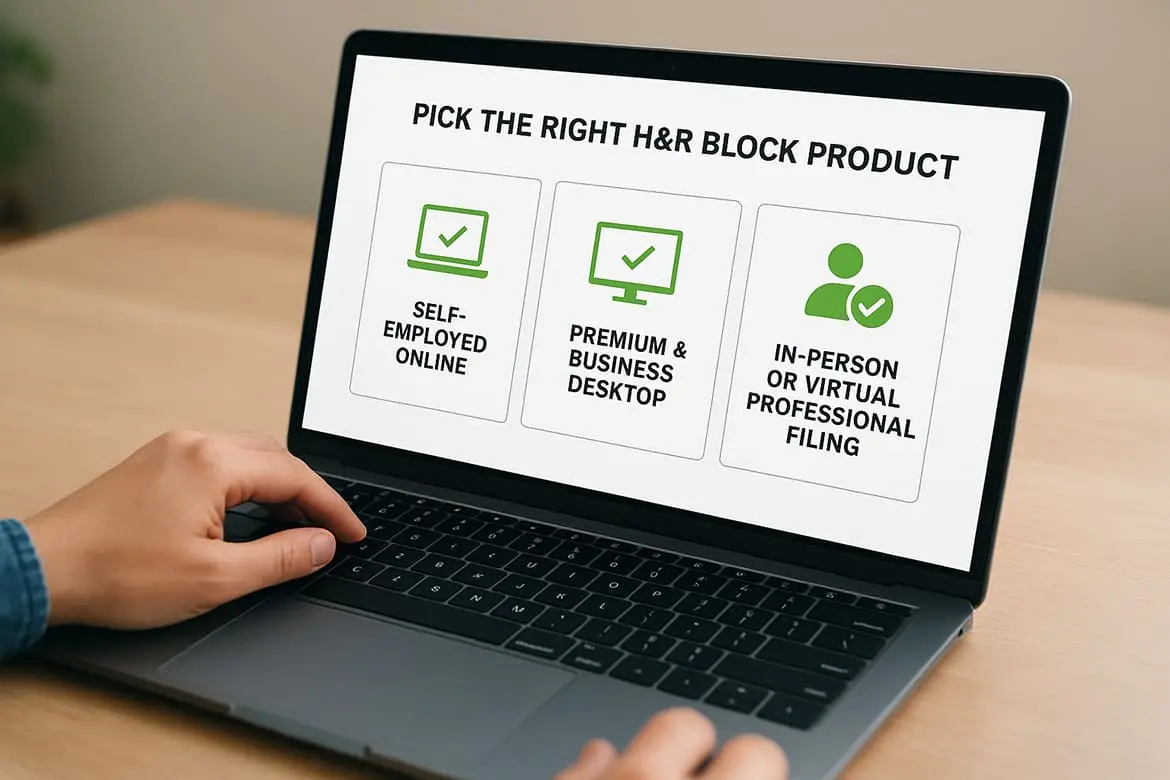
Pick the right H&R Block product
Your LLC's tax classification from Step 1 drives this decision directly. Use the table below to match your entity type to the correct H&R Block small business taxes product:
| LLC tax treatment | Recommended product | Includes |
|---|---|---|
| Single-member LLC (Schedule C) | Self-Employed Online | 1040 + Schedule C + SE tax |
| Multi-member LLC (Form 1065) | Premium & Business Desktop | 1065 + K-1s |
| LLC elected S-Corp (Form 1120-S) | Premium & Business Desktop | 1120-S + K-1s + personal 1040 |
If your LLC is taxed as a partnership or S-Corp, the desktop software handles the business return, but you still file a separate personal return alongside it.
Complete and submit your return
Once you're inside the correct product, follow the on-screen interview prompts in order and enter your figures from Step 2. Review the summary screen before submitting, confirm your bank details for any refund or payment, then e-file directly through the platform.
Step 4. Handle payments, payroll, and state deadlines
Filing your return is only part of the job. Any tax balance owed must be paid by the federal deadline, typically April 15, and self-employment tax (15.3% on net earnings) applies on top of your regular income tax if you're a single-member LLC.
Pay your estimated taxes on time
If your LLC expects to owe $1,000 or more in federal taxes for the year, the IRS requires you to make quarterly estimated payments. Use IRS Form 1040-ES to calculate and submit those payments each quarter on the dates below:
| Quarter | Due date |
|---|---|
| Q1 | April 15 |
| Q2 | June 15 |
| Q3 | September 15 |
| Q4 | January 15 (following year) |
Missing estimated payments triggers an underpayment penalty, even if you pay your full balance by April 15.
Handle payroll and state filings separately
H&R Block small business taxes software does not manage payroll tax deposits or state-level filings for you. If your LLC has W-2 employees, file Form 941 quarterly and remit payroll taxes through the IRS EFTPS system separately. Check these additional obligations before closing out your filing:
- State annual report or franchise tax
- State payroll tax deposits
- California LLC fee if you operate in California
Wrap up and get a second opinion
H&R Block small business taxes tools work well for straightforward LLC filings, especially if you're a single-member LLC reporting income on Schedule C. The software walks you through the right prompts, supports self-employment tax calculations, and handles e-filing without much friction. But as your LLC grows, adds employees, or carries over losses from prior years, the DIY path gets harder to trust.
Even a clean return can hide missed deductions or misclassified expenses that cost you money. A second set of eyes from a licensed preparer catches errors before the IRS does. If you want someone to review what you filed, prepare your return from scratch, or help you stay compliant as your business changes, get professional small business tax preparation at TaxesToday. Our CTEC-certified preparers work with LLCs, S-Corps, and self-employed filers across all 50 states, starting at $99.