


IRS Prior Year Tax Forms: Where to Find 1040s and Schedules
You need to file taxes from a year you skipped or correct an old return. Maybe you moved missed a deadline or just realized you left money on the table. Whatever the reason you need IRS prior year tax forms and you need them now. The IRS keeps past tax forms going back decades but tracking down the right version for your specific year can feel like hunting through a maze of PDFs and dead links.
This guide shows you exactly where to find official IRS prior year forms including Form 1040 and all major schedules. You'll learn how to search the IRS site pull the correct tax year documents and avoid the most common filing mistakes. We'll also cover when to handle old returns yourself and when professional help from TaxesToday makes more sense. By the end you'll know every reliable source for past year forms and how to use them to finally close out those old tax years.
1. TaxesToday tax experts for prior year forms
Filling out prior year tax forms on your own can get messy fast. You might pick the wrong version struggle with outdated rules or miss deductions that were available in that specific year. TaxesToday tax professionals handle all the heavy lifting so you can file accurately and maximize your refund without second-guessing every line.
When to call in a tax pro for past returns
You should reach out to a professional when you face multiple unfiled years or when your old return includes self-employment income rental property or investments. Amended returns also benefit from expert review because one mistake can trigger a second round of corrections. If you received an IRS notice about missing returns a tax pro can resolve the issue faster and prevent penalties from stacking up.
"A certified tax preparer knows which IRS prior year tax forms and schedules apply to your unique situation and can prevent costly errors that delay processing."
How TaxesToday helps with prior year IRS forms
TaxesToday handles every step from gathering your documents to preparing and filing your return. The team pulls the correct forms for your tax year verifies your income and deductions and double-checks for compliance. You get personalized support from licensed professionals who understand California state requirements and federal rules. This service works for remote clients nationwide so you can file old returns no matter where you live now.
Documents TaxesToday needs to prepare old returns
Bring your W-2s 1099s and any receipts from the year you want to file. If you were self-employed you need bank statements profit and loss records and mileage logs. Copies of previous tax returns help the preparer see what you reported in other years. Missing documents can often be reconstructed with the help of IRS transcripts or wage records.
How TaxesToday supports nonresident and student filers
Nonresidents and foreign students on F-1 or J-1 visas face extra paperwork like Form 1040 NR and Form 8843. TaxesToday specializes in these filings and understands treaty benefits that reduce your tax bill. You get guidance on reporting scholarships fellowships and OPT income correctly so you stay compliant without overpaying.
2. IRS prior year forms and instructions page
The IRS prior year forms and instructions page is your official source for any federal tax form from decades past. You can access tax documents going back to 1864 though most people only need forms from the last seven years. This page lets you search by form number or browse by year to find the exact version you need for filing or amending old returns.
Overview of the IRS prior year search tool
The IRS search tool sits at the top of the prior year forms page and accepts form numbers keywords or publication titles. You can type in a specific form like "1040" or a general term like "self-employment" to pull up relevant documents. The results display PDFs of forms and their matching instructions organized by tax year. This tool covers individual returns business filings and specialty forms so you get everything in one place without digging through multiple IRS pages.
Steps to find any prior year IRS form
Start by visiting the IRS prior year forms and instructions page directly through a search engine or the IRS website navigation. Enter your form number in the search box at the top of the page and click the magnifying glass icon. The system will return a list of results showing every year that form was available. Click the year you need and then click the PDF link to open the form. Download the file immediately so you have a saved copy on your device.
"Always download both the form and its instructions because the IRS updates rules and line-by-line guidance every tax year."
Tips for downloading and saving IRS PDFs
Right-click any IRS PDF link and select "Save Link As" to download the file instead of just viewing it in your browser. Name each file with the form number and tax year like "1040-2022.pdf" so you can identify it later. Store all forms for one tax year in a dedicated folder on your computer to keep everything organized. Some older PDFs may fail to open in your browser so try downloading them first or using a standalone PDF reader like Adobe Acrobat.
How to verify you have the correct tax year
Check the top right corner of every IRS form where the tax year appears in bold print. The form title also shows the year in parentheses like "Form 1040 (2021)" to confirm you grabbed the right version. Cross-reference the revision date at the bottom of the form with the year you intend to file because the IRS sometimes releases updated versions mid-year. If you accidentally download the wrong year your return will get rejected or delayed so double-check before you start filling out any line.
3. IRS search for prior year Form 1040
Form 1040 is the core federal income tax return that most individual filers need regardless of the tax year you're preparing. The IRS keeps prior year versions of Form 1040 available online so you can file or amend returns from past years. Each version reflects the tax law and brackets that were active during that specific year which means you must use the form that matches your filing period exactly.
Find Form 1040 for a specific tax year
Visit the IRS prior year forms page and type "1040" into the search box at the top. The system will show you every available tax year for Form 1040 starting with the most recent and going back several decades. Click the year you need to see a list of all 1040 variations and schedules for that period. Download the PDF file labeled "Form 1040" which contains the main return pages you'll need to complete.
"Using the wrong tax year Form 1040 will cause your return to be rejected or sent back for correction which delays refunds and processing."
Which 1040 version you should use
The IRS simplified Form 1040 in 2018 by merging Form 1040A and Form 1040EZ into a single two-page document. If you're filing for 2017 or earlier you may see separate options for 1040EZ or 1040A which applied to simpler tax situations. Starting with tax year 2018 and forward everyone uses the same base Form 1040 and attaches additional schedules as needed. Check the form instructions for your tax year to confirm which version applies to your filing status and income sources.
Locating instructions for each 1040 version
Every Form 1040 comes with matching instructions that explain line-by-line requirements deductions and credits. You'll find the instructions listed right below the form itself on the IRS prior year tax forms page. Download the instructions PDF at the same time you grab your form because the IRS updates guidance every year. These instructions help you understand which schedules to attach and how to report specific types of income correctly for that tax year.
Key schedules that often pair with Form 1040
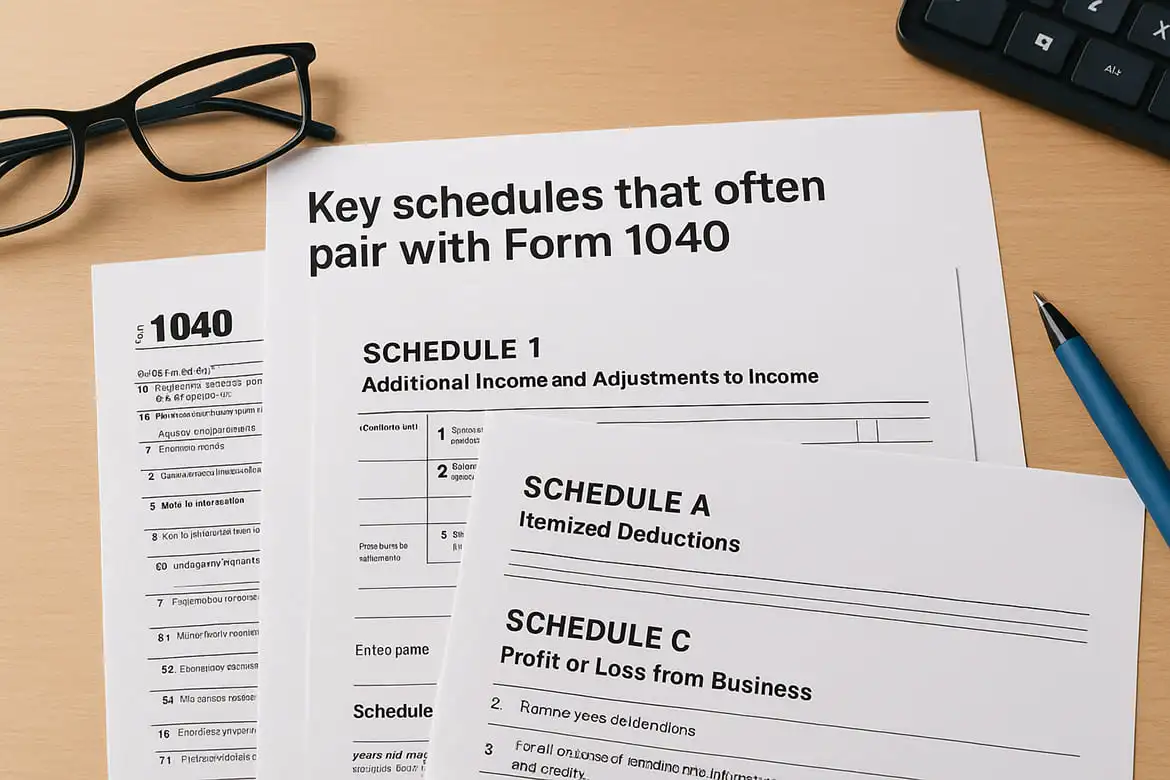
Most filers need at least one schedule attached to their Form 1040. Schedule 1 reports additional income like unemployment compensation or self-employment income. Schedule A handles itemized deductions if you're not taking the standard deduction. Schedule C is required for self-employed individuals and gig workers who report business profit or loss. Grab every schedule you need from the same tax year to keep your return consistent and complete.
4. IRS schedules for Form 1040 by year
Form 1040 schedules handle the details that don't fit on the main return pages. The IRS publishes updated versions of each schedule every tax year so you need to match your schedule year to your Form 1040 year exactly. These schedules report everything from self-employment income to itemized deductions and using the wrong year can throw off your calculations or cause the IRS to reject your return.
Most common Form 1040 schedules and what they do
Schedule 1 reports additional income like unemployment benefits alimony received and business income that doesn't appear on a W-2. Schedule A lists itemized deductions including mortgage interest medical expenses and charitable contributions when they exceed the standard deduction. Schedule C captures profit or loss from a sole proprietorship or single-member LLC and is required for anyone who receives a 1099-NEC or earns self-employment income. Schedule D handles capital gains and losses from stocks bonds or property sales. Schedule E reports rental real estate income royalties and passthrough income from partnerships or S-corporations. Each schedule comes with its own set of instructions that explain line-by-line requirements for that specific tax year.
"You must attach every required schedule to your Form 1040 or the IRS will send your return back for completion which delays your refund or payment processing."
How to search for a specific schedule by year
Go to the IRS prior year forms and instructions page and type the schedule name in the search box like "Schedule C" or "Schedule A." The results will show you every year that schedule was available as a separate PDF. Click the tax year you need to see the form and its instructions. Download both files at once so you have complete guidance while you fill out each line. Some schedules like Schedule 8812 for the Child Tax Credit only apply to certain years so verify the schedule existed during your filing period.
Matching each schedule to the right 1040 year
Every schedule displays its tax year in the top right corner just like Form 1040 does. The form title also includes the year in parentheses to help you confirm you grabbed the correct version. Never mix schedules from different tax years on a single return because the IRS will reject your filing. When you search for IRS prior year tax forms download all documents for one tax year into a dedicated folder so you don't accidentally attach a 2021 schedule to a 2020 Form 1040.
Avoiding missing or incomplete schedule attachments
Read through the Form 1040 instructions for your tax year to see which schedules you must attach based on your income sources and deductions. Missing a required schedule will cause the IRS to return your entire filing unprocessed. Attach every schedule even if some lines are blank because partial information tells the IRS you reviewed that category. Double-check that each schedule has your name and Social Security number at the top and that you signed and dated the main Form 1040 before mailing everything together.
5. IRS nonresident and international forms
Nonresidents and foreign nationals face different tax rules than U.S. citizens or green card holders which means you need specialized forms that match your visa status and income sources. The IRS publishes prior year versions of Form 1040 NR and related international documents so you can file correctly even if you're working on old tax years. These forms handle income earned in the United States by individuals who don't meet the substantial presence test or who hold temporary visas like F-1 J-1 or H-1B status.
Finding prior year Form 1040 NR and instructions
Visit the IRS prior year forms page and search for "1040 NR" to pull up every available tax year for this nonresident return. You'll see Form 1040-NR listed alongside its instructions for each year going back multiple decades. Download both the form and the instructions because nonresident tax rules change frequently and the line-by-line guidance helps you report income correctly. Some years also include Schedule NEC for tax on income not effectively connected with a U.S. trade or business so check if that schedule applies to your situation.
Forms that foreign students and scholars often need
Form 8843 is required for students and scholars on F-1 J-1 or M-1 visas even if you earned no U.S. income during that tax year. This form explains your days of presence in the United States and exempts you from the substantial presence test. You also need Form 1042-S if you received scholarships fellowships or stipends because this document reports the income your school or sponsor withheld. Grab the IRS prior year tax forms for 8843 and 1042-S from the same tax year to keep your filing consistent.
"Foreign students must file Form 8843 every year they hold a student visa regardless of whether they worked or earned income in the United States."
How nonresident filing differs from resident returns
Nonresidents report only U.S. source income instead of worldwide income like residents do. You can't claim the standard deduction on Form 1040-NR and you may face different tax rates on certain types of income like scholarships or dividends. Tax treaties between the United States and your home country can reduce or eliminate withholding on specific income types so you need to reference the treaty article when you file.
When to seek professional help for nonresident taxes
Reach out to a tax professional if you have income from multiple sources like wages scholarships and self-employment or if you need to claim a tax treaty benefit. TaxesToday handles nonresident filings and understands how to apply treaty provisions correctly so you don't overpay or miss deductions. Professional help also makes sense when you're filing several years at once or when you're transitioning from nonresident to resident status during a single tax year.
6. IRS business and self employed prior year forms
Business owners and self-employed individuals need specialized forms that go beyond the standard Form 1040. The IRS publishes prior year business forms for sole proprietors partnerships corporations and LLCs so you can file old returns that include business income deductions and credits. These forms track profit and loss depreciation and employment taxes which means you need to match every document to the correct tax year to avoid calculation errors.

Schedules for sole proprietors and gig workers
Schedule C is the main form you need if you operate a sole proprietorship or single-member LLC. This schedule attaches to your Form 1040 and reports your business income expenses and net profit or loss for the year. You'll need the IRS prior year tax forms version of Schedule C that matches your filing year because expense categories and depreciation rules change over time. Schedule SE calculates your self-employment tax which covers Social Security and Medicare contributions when you don't have an employer withholding those amounts. Gig workers who receive Form 1099-NEC or 1099-K must report that income on Schedule C and pay the corresponding self-employment tax.
Forms for partnerships corporations and LLCs
Form 1065 handles partnership tax returns and multi-member LLCs that elect partnership taxation. Each partner receives Schedule K-1 which shows their share of income deductions and credits to report on their individual return. Form 1120 applies to C-corporations while Form 1120-S covers S-corporations that pass income through to shareholders. Download every form and schedule from the same tax year because partnership and corporate tax rules shift annually.
"Business entities must file their own returns separately from owner personal returns and each form has strict deadlines that trigger penalties if missed."
Depreciation and business credit forms by year
Form 4562 reports depreciation and amortization for business assets like equipment vehicles and property. This form also handles Section 179 expensing which lets you deduct the full cost of certain assets in the year you purchase them instead of depreciating over time. Business tax credits require their own forms like Form 3800 for general business credits or Form 8826 for the disabled access credit. Grab the correct year version of each credit form because eligible expenses and credit amounts change annually.
Records you need before filling older business forms
Gather your bank statements credit card statements and receipts that show every business transaction from the year you're filing. You need invoices and sales records to document your income along with mileage logs if you claimed vehicle expenses. Keep copies of 1099 forms you received and any asset purchase documentation to support depreciation claims. Missing records can often be reconstructed from bank downloads or payment processor reports if you act quickly.
7. IRS ways to order prior year forms by mail
You can order paper copies of IRS prior year tax forms by mail or phone if you can't download PDFs or prefer working with physical documents. The IRS ships blank forms for free to your mailing address within ten business days of your request. This option works well when you need multiple copies of the same form or when you're helping someone without reliable internet access.
When you may need paper forms instead of PDFs
Paper forms make sense when your printer is broken or you lack consistent internet access at home. Some older computers struggle to open IRS PDFs especially documents from tax years before 2010. You also might prefer paper if you're filing several years at once and want to organize physical copies in folders instead of managing digital files. Taxpayers with vision impairments often request paper forms in large print which are easier to read than standard PDFs on a screen.
How to request forms by phone or online order
Call 1-800-TAX-FORM (1-800-829-3676) to request any prior year form by name and tax year. The automated system lets you order up to ten different forms per call and ships them to the address you provide. You can also visit the IRS website and use the online form ordering tool which accepts bulk requests for multiple tax years. Both methods are free and the IRS does not charge for shipping.
"Allow at least ten business days for your mailed forms to arrive before you start worrying about lost packages or ordering replacements."
Time frames and limits for mailed IRS form requests
The IRS typically ships your order within seven to ten business days from the date you request the forms. Orders placed during peak tax season from January through April may take longer due to high volume. You can order forms going back multiple decades but extremely old forms may require special handling or may no longer be available in print.
Accessibility options for large print and other needs
The IRS provides large print versions of many common forms including Form 1040 and its schedules. Request these by calling the main tax form line and specifying that you need the accessible version. Braille tax materials are also available through National Braille Press for taxpayers who need them.
8. IRS transcripts and copies of filed returns
You don't always need a blank form when you're dealing with prior year tax issues. Sometimes you need to see what you actually filed in a past year which means you need a transcript or copy of your original return. The IRS keeps records of every return you submitted and you can request these documents to verify income check for errors or prepare an amended return. Transcripts cost nothing and arrive faster than full copies so they work well for most situations.
When to request a transcript instead of a blank form
Request a tax return transcript when you need to see the income and deductions you reported in a past year but don't need a line-by-line copy of your actual return. Transcripts show W-2 and 1099 income along with adjusted gross income and tax credits in a simplified format that's easier to scan than a full return. Lenders often accept transcripts when you apply for a mortgage or student loan because they verify your income without exposing every detail. You also need transcripts when you're filing a current year return and can't find last year's documents or when you want to confirm the IRS processed your return correctly.
Using the IRS Get Transcript online and by mail
Visit the IRS Get Transcript tool online to download a PDF of your transcript immediately after you verify your identity through ID.me. You can access tax return transcripts wage and income transcripts and account transcripts for the current year plus the past three years. Mail requests take longer but don't require online verification so you fill out Form 4506-T and send it to the IRS address listed on the form. Your transcript arrives at your mailing address within five to ten business days from the date the IRS processes your request.
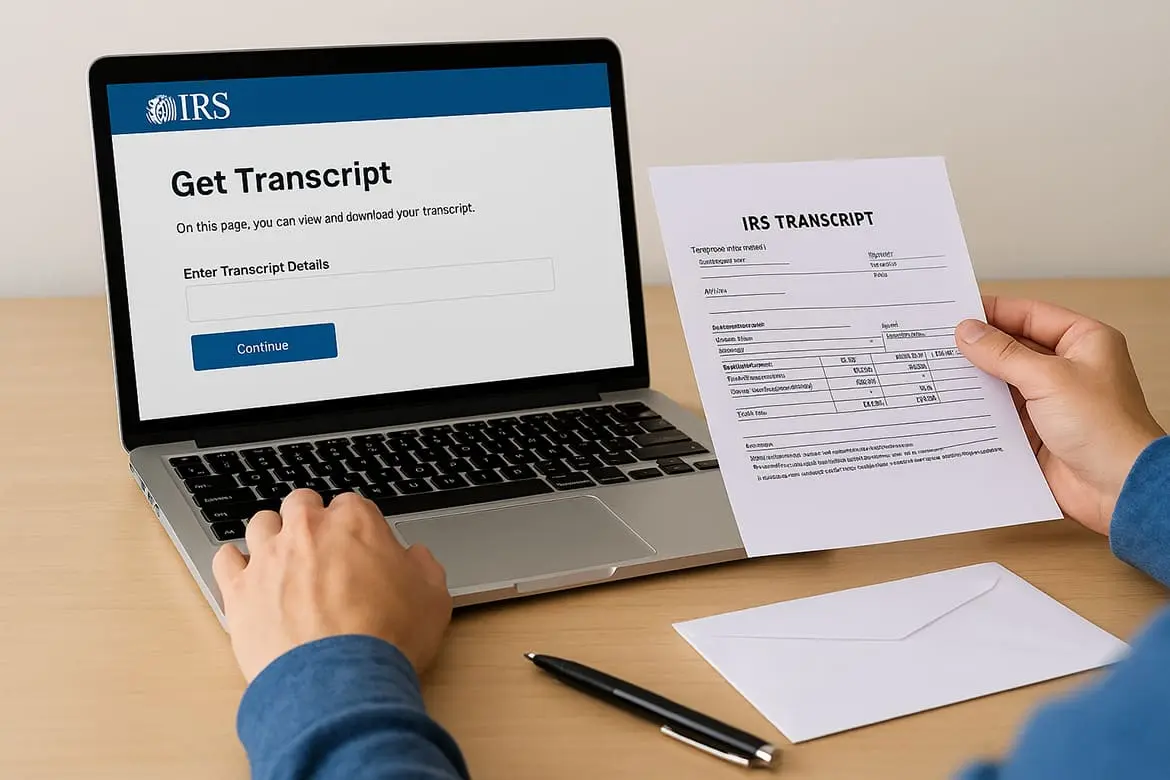
"Tax return transcripts show most line items from your original return while account transcripts reveal payment history and any adjustments the IRS made after you filed."
Requesting a full copy of a filed tax return
You need Form 4506 to request a complete copy of a tax return you filed in the past. The IRS charges thirty dollars per tax year for full copies and you must include payment with your mailed request. Full copies show every form schedule and attachment exactly as you submitted them which helps when you're preparing an amended return or responding to an audit. The IRS keeps returns for seven years so older filings may no longer be available.
How transcripts help when you reconstruct old returns
Transcripts give you the numbers you need when you're preparing IRS prior year tax forms for a year you never filed. You can request a wage and income transcript that lists every W-2 and 1099 form employers and clients sent to the IRS under your Social Security number. This data helps you rebuild your income records when you lost your original documents or never received them. Pair the wage transcript with bank statements to capture deductions and expenses so you file a complete return that matches IRS records.
9. USA gov federal tax forms directory
The USA.gov federal tax forms directory serves as a gateway to IRS documents when you want a simpler starting point than navigating the IRS website directly. This government portal organizes tax resources for individuals and businesses in one place and links you straight to the forms you need without forcing you through multiple IRS pages. You can access current year forms and prior year documents through this centralized directory.
What you can find on the USA gov tax forms page
USA.gov lists the most common federal tax forms including Form 1040 schedules and business returns in an organized format. The page groups forms by category like individual taxes business taxes and international filings so you can quickly identify which section applies to your situation. Each form listing includes a direct link to the IRS PDF along with a brief description of what that form does. You won't find every obscure IRS form here but you will find the documents that cover the majority of tax situations.
How USA gov routes you to IRS prior year forms
Click any form link on the USA.gov tax page and you land directly on the IRS prior year forms page or the specific PDF you requested. The site acts as a filtered entry point that saves you from searching through the entire IRS website structure. You still download official IRS documents so the forms are identical to what you'd get by visiting the IRS site directly. This routing system helps when you know which form you need but don't want to dig through IRS navigation menus.
"USA.gov links point to official IRS sources so every form you download comes from the same secure government servers you'd access through the IRS website."
Using USA gov if the IRS site is hard to navigate
Try USA.gov when the IRS website feels overwhelming or when you can't find the prior year search tool quickly. The simplified layout uses plain language instead of tax jargon which makes it easier to identify the right form category. You bypass the IRS homepage and land directly on tax forms which speeds up your search.
Other federal resources you can access from USA gov
USA.gov connects you to Social Security Administration forms tax payment options and federal benefit programs beyond just IRS forms. You can find links to state tax agencies federal employment resources and government assistance programs all from the same portal.
10. Online tax software for back tax filing
Online tax software platforms let you prepare and file IRS prior year tax forms through guided interfaces that walk you through every line of your return. These programs supply the exact forms you need for past tax years and handle calculations automatically so you avoid math errors. You can work on old returns at your own pace and the software saves your progress as you go which makes it easier to file multiple years without starting from scratch each time.
How online tax software supplies prior year forms
Tax software providers maintain libraries of past year forms that include Form 1040 and all major schedules for each supported tax year. When you select a prior year to file the program loads the forms and tax law rules that applied during that specific period. The software updates line numbers deduction amounts and tax brackets automatically so you don't need to track changes between years. FreeTaxUSA TurboTax and H&R Block all support prior year filing though you must check each provider to see how far back their systems go.
Which tax years you can still e file electronically
Most tax software lets you electronically file returns from the current year plus the previous three years. For example in 2026 you can typically e-file for tax years 2025 2024 2023 and sometimes 2022 depending on the provider. State e-filing cutoffs may differ from federal deadlines so verify both before you start your return.
"Electronic filing gets you faster processing and confirmation that the IRS received your return which reduces the risk of lost mail or delayed refunds."
When you must print sign and mail old year returns
You must print and mail returns for any tax year older than what the software supports for e-filing. This usually means filing paper returns for years before 2022 if you're working in 2026. Print every page of your return including all schedules and attachments then sign and date the signature line on Form 1040 before mailing.
Cost security and support factors to compare
Federal filing fees for prior years range from free to over one hundred dollars depending on your tax situation and the software you choose. Check whether the platform offers live support or only automated help when you run into questions about old tax years. Read reviews about data encryption and privacy policies before you upload sensitive documents to any tax software system.
11. State tax agency prior year forms
Filing IRS prior year tax forms covers only your federal tax obligation which means you still need state tax returns for every year you're catching up on. Each state maintains its own archive of prior year forms and the rules for filing old returns vary by state. You must download state forms that match the exact tax year of your federal return to keep your filings aligned and avoid mismatched income reporting.
Why you also need state forms for old tax years
Most states require you to file a state income tax return whenever you file a federal return for the same year. Your state return calculates tax based on income you earned while living or working in that state during that tax period. Some states tie their tax calculations directly to your federal adjusted gross income which means your state return depends on completing your federal Form 1040 first. Seven states have no income tax but the remaining 43 states plus the District of Columbia all require separate filings with their own forms and schedules.
Finding California Franchise Tax Board prior year forms
Visit the California Franchise Tax Board website and navigate to the forms and publications section where you can search by form number or tax year. The FTB archives Form 540 and Form 540NR going back multiple decades along with all required schedules like Schedule CA for adjustments to federal income. Download the instructions for each tax year because California tax law changes frequently and deduction limits shift annually. California residents and part-year residents both need these forms when filing back taxes.
"State tax agencies process returns independently from the IRS so you must file and mail state returns separately even when the tax years match."
Locating prior year forms on other state tax sites
Search for your state name plus "department of revenue prior year forms" to find the correct agency website. Most states organize their form archives by tax year similar to how the IRS structures its prior year page. Look for a search tool or dropdown menu that lets you select the specific year you need. Download both the main return form and any schedules that apply to your income sources or deductions for that state.
State rules on filing and amending old returns
States set their own statute of limitations for filing old returns which typically ranges from three to six years depending on the state. Some states like California allow you to claim refunds for returns filed within four years of the original due date while others have shorter windows. Check your state tax agency website for specific deadlines on amended returns because missing the cutoff means you forfeit any refund you might have coming.
12. How to choose and use the right prior year form
Picking the wrong form version or mixing documents from different tax years will cause your return to bounce back from the IRS unprocessed. You need to match every document to the correct tax year and complete each line according to the rules that applied during that specific period. This section walks you through the exact steps to find prepare and mail old returns without triggering delays or rejection notices.
Gather the key details before you search for forms
Write down your filing status Social Security number and the tax year you need to file before you start searching for forms. Collect all income documents like W-2s 1099s and bank statements from that year so you know which schedules to attach. Identify whether you had self-employment income rental property or investment sales because each situation requires specific forms. This preparation prevents you from downloading unnecessary documents and helps you spot missing paperwork early.
Match every form and schedule to one tax year
Check the top right corner of every IRS form to verify the year printed there matches the return you're preparing. Download Form 1040 and all required schedules from the same tax year section on the IRS website. Never attach a Schedule C from 2021 to a Form 1040 from 2020 because the line numbers and calculations won't align correctly. Keep all IRS prior year tax forms for one tax year in a dedicated folder on your computer to avoid mixing documents.
"The IRS computers scan for year mismatches between your main form and attachments which triggers automatic rejections that delay processing by weeks."
Step by step process to complete and mail a prior year return
Fill out your Form 1040 using black ink if you're working on paper or use tax software to generate a clean PDF. Attach all required schedules in numerical order after the main form pages. Sign and date the signature line on page 2 of Form 1040 because unsigned returns get sent back immediately. Make a complete copy of your entire return before mailing so you have records if the IRS loses your filing. Mail your return to the IRS address listed in the form instructions for your state and filing type using certified mail with return receipt to prove delivery.
Common mistakes that cause IRS processing delays
Forgetting to sign your return or include your Social Security number on every schedule creates instant processing holds. Using current year forms to file for past years throws off all calculations and forces the IRS to reject your entire package. Missing required schedules or leaving calculation lines blank when you should enter zero also triggers reviews. Stapling instead of paper-clipping documents makes scanning harder for IRS processors so use one paper clip in the top left corner to keep everything together without damaging the pages.

Final thoughts
You now know exactly where to find IRS prior year tax forms and how to download the correct versions for any tax year you need to file. The IRS website holds decades of forms and instructions while USA.gov offers a simpler entry point when you want to skip the navigation maze. Online tax software handles calculations automatically for recent years and state tax agencies provide matching forms to complete your full filing picture.
Filing old returns yourself works when your tax situation stays simple but complex filings with multiple income sources or business deductions often benefit from professional review. Missing deductions using outdated rules or attaching wrong year schedules can cost you money and trigger IRS delays that stretch for months. Professional tax preparation from TaxesToday handles prior year returns correctly the first time so you close out old tax years without second-guessing every line or waiting for rejection notices to arrive in your mailbox.