


IRS Free File Program: How To Qualify And File For Free
Filing your federal tax return doesn't have to cost you anything. The IRS Free File program gives eligible taxpayers access to brand-name tax software at zero cost, a benefit that millions of Americans qualify for but never use. If your adjusted gross income falls below the threshold, you could file your taxes without spending a dime on preparation fees.
This guide walks you through everything you need to know: eligibility requirements, how to access authorized software providers, and step-by-step instructions for completing your return. Whether you're filing for the first time or simply looking to save money this tax season, understanding how Free File works can put real dollars back in your pocket.
At TaxesToday, we believe everyone deserves access to accurate, stress-free tax filing. While the IRS Free File program works well for straightforward returns, some situations call for professional expertise, self-employment income, amended returns, or complex deductions, for example. We'll help you determine if Free File fits your needs or if working with a licensed tax preparer makes more sense for your specific circumstances.
What the IRS Free File program is and what it covers
The IRS Free File program is a partnership between the IRS and tax software companies that provides free federal tax preparation and e-filing services to eligible taxpayers. Since 2003, this program has helped millions of Americans file their returns without paying preparation fees. You access brand-name tax software through the IRS website, and the companies provide their services at no cost if you meet the income requirements.
What the program gives you
Free File provides you with guided tax preparation software that walks you through every question and form you need to complete. You get access to the same quality software that paying customers use, including error checking, calculations, and direct e-filing to the IRS. The software handles common tax situations like W-2 income, standard deductions, earned income tax credit, child tax credit, and education credits.
The IRS Free File program gives you professional-grade tax software without the $50 to $100+ price tag you'd normally pay.
Most providers include free federal return preparation and e-filing, but you need to check each company's offer carefully. Some software packages also support basic state returns at no additional cost, though many charge for state filing even when your federal return qualifies for Free File.
What Free File doesn't cover
The program works best for straightforward tax situations involving W-2 income, basic deductions, and common credits. You can run into limitations with complex business income, rental properties, foreign tax credits, or multiple state returns. Self-employed individuals with extensive Schedule C expenses may find the free versions lack the detailed guidance they need.
Free File doesn't include audit protection, tax advice, or professional review of your return before filing. You handle everything yourself through the software interface, which means you take full responsibility for accuracy and completeness.
Step 1. Check eligibility and pick the right free option
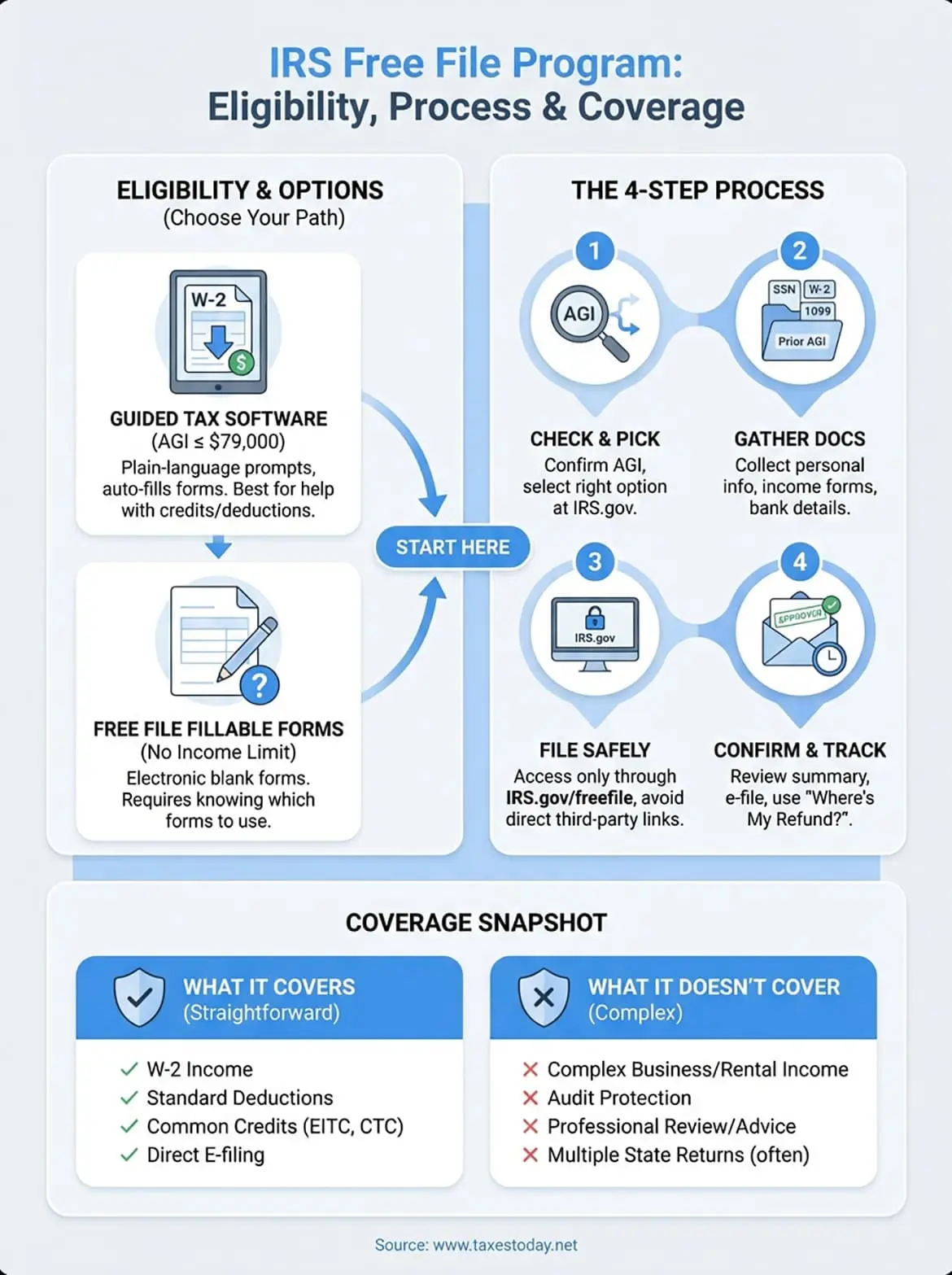
Before you start filing, you need to confirm whether you qualify for the IRS Free File program and decide which free option works for your tax situation. The program offers two distinct paths: Guided Tax Software for those who meet income requirements, or Free File Fillable Forms for anyone regardless of income. Your adjusted gross income (AGI) from the previous tax year determines which route you take.
Income limits that determine your access
You qualify for Guided Tax Software if your AGI stayed at or below $79,000 for the 2025 tax year (filed in 2026). This threshold applies to all filing statuses, whether you file single, married filing jointly, or head of household. Each software provider sets its own specific income limit within this range, so you might find options even if you earned slightly more.
Check your 2025 tax return (line 11 of Form 1040) to find your exact AGI before you start the selection process.
Choosing between Guided Tax Software and Free File Fillable Forms
Guided Tax Software walks you through every question with plain-language prompts and automatically fills out the correct forms based on your answers. This option works best when you need help understanding which deductions or credits you qualify for. You answer questions, and the software handles the technical tax forms behind the scenes.
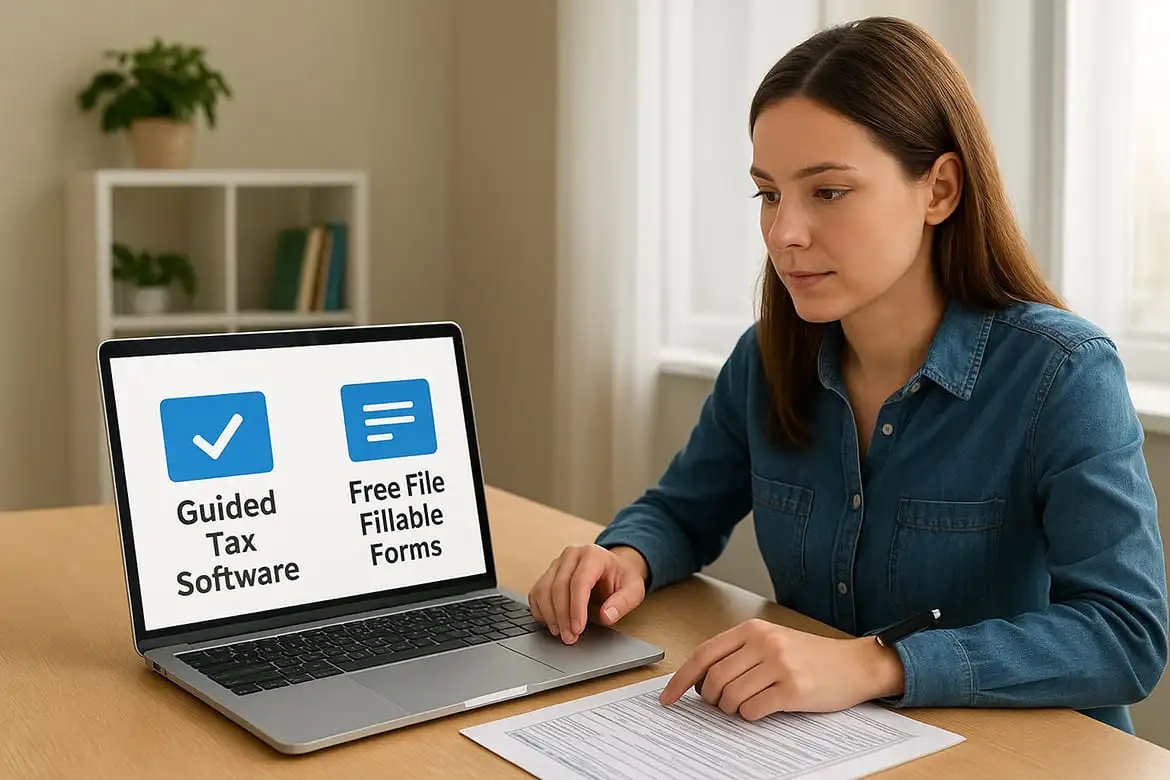
Free File Fillable Forms give you blank tax forms you complete yourself, similar to paper filing but submitted electronically. This option has no income restrictions but requires you to know which forms you need and how to complete them correctly.
Step 2. Gather what you need before you start
You need specific documents and information ready before you begin using the IRS Free File program. Gathering everything upfront prevents you from stopping mid-return to hunt for missing papers or numbers. Your software session might time out if you leave to find documents, forcing you to start over from the beginning.
Personal information and prior year data
Start with your Social Security number and those of your spouse and any dependents you plan to claim. You also need birth dates for everyone listed on your return. Pull out your 2024 tax return (filed in 2025) to find your prior year AGI, which the IRS uses to verify your identity during e-filing.
Having your prior year AGI ready before you start prevents the most common reason for rejected e-filed returns.
Income documents and tax forms
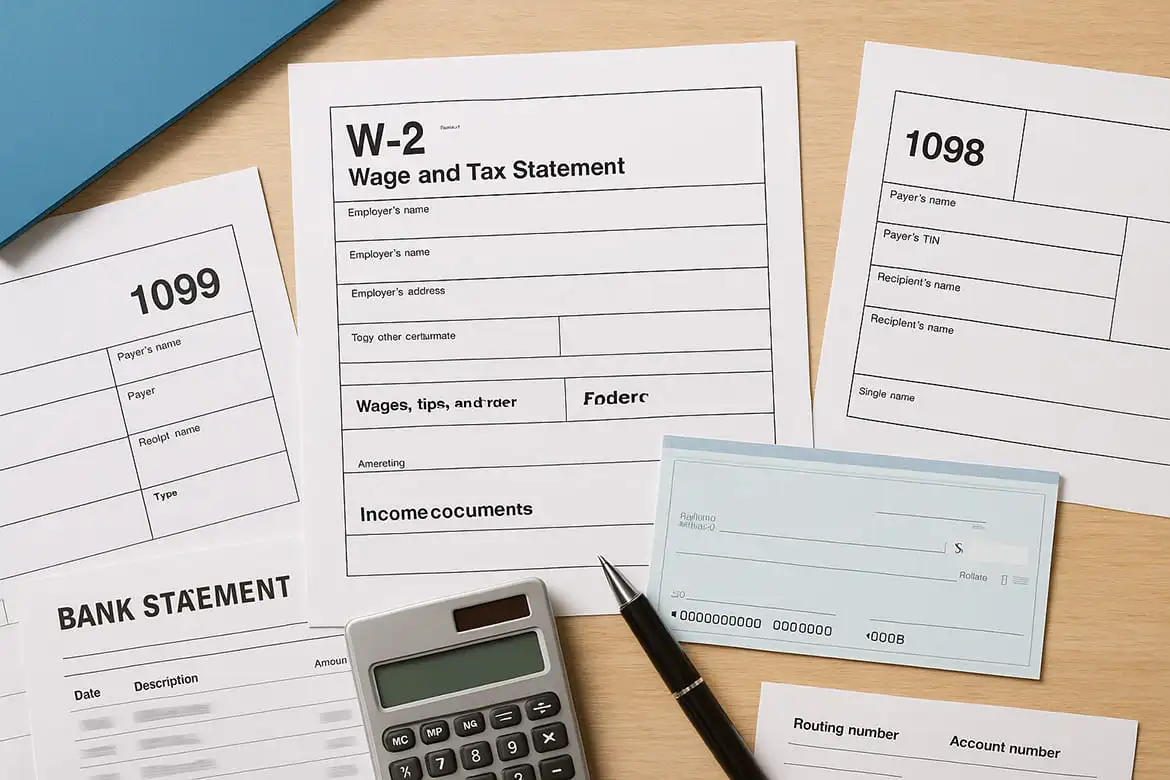
Collect all W-2 forms from employers, 1099 forms for contract work or interest income, and any 1098 forms for mortgage interest or student loan interest. You need these documents to report your income accurately and claim eligible deductions. Keep bank account information handy (routing and account numbers) if you want your refund deposited directly.
Step 3. File through IRS Free File safely
You access the IRS Free File program only through the official IRS website at IRS.gov/freefile, never through search engine ads or third-party sites. Direct links from tax software companies can redirect you to paid versions instead of the free options you qualify for. The IRS portal shows you all participating software providers that match your eligibility.
Select your software provider carefully
Review each provider's specific requirements and included features before you create an account. Some companies restrict Free File access to simple returns only, while others support more complex situations like self-employment income or education credits. Click through to your chosen provider's site from the IRS portal to maintain your free filing status.
Complete your return without rushing
Work through the software questions methodically, checking each entry against your source documents. The guided interview asks about income, deductions, and credits in plain language, then translates your answers into the proper tax forms. Save your progress regularly if the software allows it, preventing lost work if your session times out.
Never share your Social Security number, bank details, or tax information through email or unsecured websites during the filing process.
Step 4. Confirm your return and handle next moves
The IRS Free File program software generates a complete summary of your return before you submit it electronically. This final review screen shows your refund amount or balance due, along with every form the software created from your answers. Print or save a PDF copy of your complete return before you click the submit button.
Review every number one last time
Check your Social Security numbers, bank account details, and income amounts against your original documents. A single typo in your bank routing number sends your refund to the wrong account, and mismatched Social Security numbers trigger automatic rejection. Look for math errors or missing forms the software might have overlooked, especially if you manually entered information.
The IRS rejects approximately 20% of e-filed returns due to simple data entry mistakes that a final review would catch.
Track your refund or payment status
You receive an email confirmation within 24 hours after the IRS accepts your return. Visit IRS.gov and use the "Where's My Refund?" tool to track your refund status, which updates within 24 hours of e-filing acceptance. Most refunds arrive in less than 21 days when you choose direct deposit. If you owe taxes, schedule your electronic payment through IRS Direct Pay to avoid mailing checks and potential processing delays.
A quick wrap-up
The IRS Free File program gives you a legitimate way to file your federal tax return without paying preparation fees, provided your adjusted gross income stays below the $79,000 threshold. You get access to professional tax software that guides you through every step, from entering your W-2 income to claiming common credits and deductions. The process takes the same route as paid tax prep services, just without the cost.
However, complex tax situations often need more than automated software can provide. Self-employment income, rental properties, amended returns, or multi-state filing can create complications that generic software doesn't handle well. When your return goes beyond basic W-2 income and standard deductions, you risk missing valuable deductions or making costly errors.
TaxesToday helps you navigate complicated tax situations with professional expertise starting at $99. Our CTEC-certified tax preparers handle everything from self-employed returns to amended filings, ensuring you get maximum deductions while staying IRS-compliant. Get professional tax preparation help that protects your refund and gives you peace of mind.