



How To File A Tax Extension Online: Step-By-Step (2026)
Life gets busy, and sometimes April 15 arrives before you're ready to file your taxes. The good news? You don't have to panic. Learning how to file a tax extension online takes just minutes and gives you an extra six months to submit your return, penalty-free.
Filing Form 4868 electronically is the fastest, most reliable way to request that extension from the IRS. Whether you're waiting on documents, dealing with a complicated tax situation, or simply need more time to get organized, an extension protects you from late-filing penalties that can add up quickly.
At TaxesToday, we help clients across California and nationwide navigate exactly these situations. Below, we'll walk you through every step of the online extension process, from choosing the right platform to confirming the IRS received your request. By the end, you'll know exactly what to do, which tools to use, and how to avoid common mistakes.
What a tax extension does and does not do
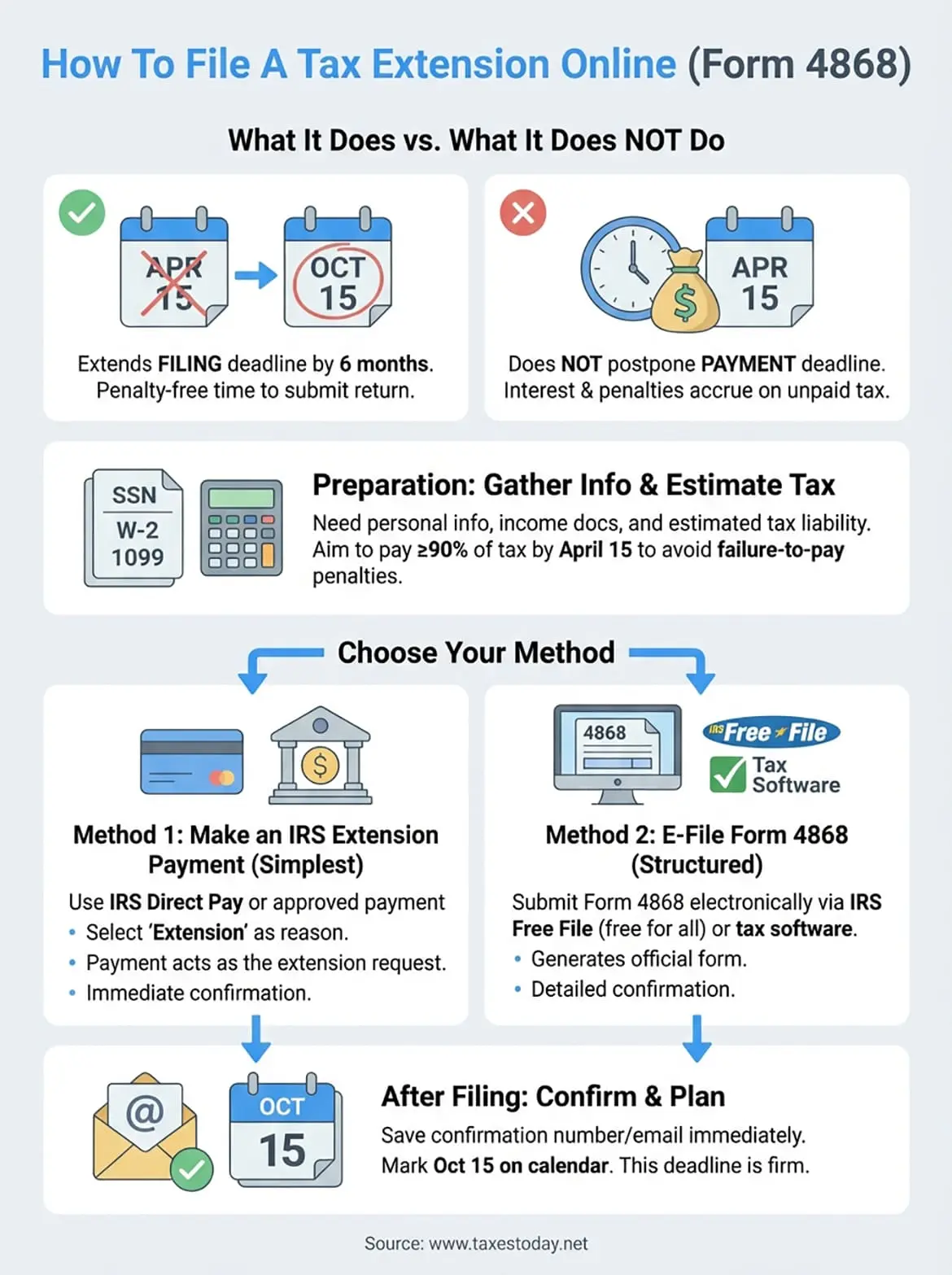
Before you learn how to file a tax extension online, you need to understand exactly what that extension covers. Many taxpayers mistakenly believe an extension gives them extra time to pay their taxes, but that's not how it works. The extension only affects your filing deadline, not your payment deadline.
What an extension gives you
When you file Form 4868, the IRS automatically grants you six additional months to submit your complete tax return. Your new deadline becomes October 15 instead of April 15. This extension applies to your federal tax return only, though many states automatically mirror the federal extension. You don't need to explain why you need more time, and the IRS approves nearly every extension request without question.
What an extension does not cover
The extension does not postpone your tax payment. You still owe any taxes due by the original April 15 deadline. If you don't pay at least 90% of your total tax liability by that date, the IRS will charge you interest and possibly penalties on the unpaid amount. These charges accumulate daily from April 15 forward, even with a valid extension on file.
An extension protects you from late-filing penalties, but interest on unpaid taxes starts accruing immediately after the April deadline.
Additionally, the extension doesn't give you extra time to make prior-year IRA contributions or other time-sensitive tax moves. Those deadlines remain fixed at April 15 regardless of your extension status. Understanding these limitations helps you plan properly and avoid unexpected charges when October arrives.
Before you start: gather info and estimate your tax
You need specific information ready before you learn how to file a tax extension online. The IRS requires you to estimate your tax liability and ideally make a payment with your extension request. Having the right documents and numbers prepared saves time and helps you avoid errors during the electronic filing process.
Documents you need on hand
Gather your personal identification information first, including your Social Security number (or ITIN) and your spouse's if filing jointly. You also need your mailing address exactly as it appears on previous tax returns. If you changed addresses recently, use your current address but note the change.
Pull together any tax documents you've already received:
- W-2 forms from employers
- 1099 forms for freelance income, interest, or dividends
- Business income records if you're self-employed
- Previous year's tax return for reference numbers
Calculate your estimated tax liability
Use the information above to estimate how much tax you owe for the year. You can calculate this manually using IRS tax tables or run a quick estimate through your tax software. The goal is determining whether you need to send a payment with your extension.
If you expect to owe taxes, paying at least 90% by April 15 prevents penalty charges even with a valid extension filed.
Subtracting your withholding and estimated payments from your total tax gives you the amount due. Even a rough estimate helps you avoid interest charges down the road.
Step 1. File online by making an IRS extension payment
The simplest way to learn how to file a tax extension online is by making a payment through IRS Direct Pay or another IRS-approved electronic payment system. When you submit a payment designated for an extension, the IRS automatically treats that payment as your Form 4868 filing. You don't need to fill out additional forms or paperwork.

How the payment extension method works
This approach works best when you owe taxes and want to pay at least some of that amount by the April deadline. The IRS recognizes your payment as both your tax payment and your extension request. You receive immediate confirmation and avoid separate filing steps.
Making even a small extension payment establishes your filing date and protects you from late-filing penalties.
Complete the payment process
Visit the IRS Direct Pay portal and select "Extension" as your payment reason. You need your Social Security number, filing status, estimated tax liability, and bank account information for the electronic payment.
Enter your payment amount, confirm your information, and complete the transaction. The system provides a confirmation number immediately. Save this number as proof of your extension. The IRS typically processes your extension within 24 hours.
Step 2. File online with IRS Free File or tax software
If you prefer not to make a payment or want a more structured approach to learn how to file a tax extension online, you can submit Form 4868 electronically through IRS Free File or commercial tax preparation software. This method generates an official extension form and provides detailed confirmation of your submission.

Access IRS Free File
The IRS Free File platform offers free extension filing regardless of your income level. Visit the IRS website and select the Free File option from the menu. You'll choose from several partner providers who offer free extension services.
Each provider walks you through a simple questionnaire asking for your personal information, filing status, and estimated tax liability. The system generates Form 4868 electronically and transmits it directly to the IRS. You receive a confirmation number within minutes of submission.
Free File partners cannot charge you for filing an extension, even if they charge for regular tax returns.
Use commercial tax software
Most tax preparation software including TurboTax, H&R Block, and TaxAct offers extension filing as a standalone service. You don't need to purchase the full tax preparation package to file your extension. Select the extension option, enter your information, and the software handles the electronic submission to the IRS automatically.
After you file: confirm your extension and next steps
Once you complete the process of how to file a tax extension online, you need to verify the IRS received your request and plan for the months ahead. Confirmation takes different forms depending on which filing method you used, but you should receive some type of acknowledgment within 24 to 48 hours of submission.
Save your confirmation number immediately
Your filing platform provides a confirmation or acknowledgment number as soon as you submit your extension. Write this number down or take a screenshot before closing your browser. You need this reference if questions arise later about whether the IRS received your extension request.
Check your email inbox for an electronic confirmation message from the IRS or your filing provider. This message typically arrives within one business day and includes your confirmation number plus details about your submission. Save this email in a dedicated tax folder where you can find it easily in October.
Mark your new October 15 deadline
Add October 15 to your calendar with multiple reminders starting in September. This new deadline is firm, and the IRS grants no additional extensions beyond this date. Missing the October deadline triggers both failure-to-file penalties and interest charges on any unpaid taxes.
The October extension deadline applies equally to taxpayers who paid their full tax liability in April and those who still owe money.
Start gathering tax documents now rather than waiting until fall. Organizing throughout the summer makes the actual filing process faster and less stressful when October approaches.
Final checklist before you log off
You now know exactly how to file a tax extension online using either the payment method or electronic filing through IRS Free File or tax software. Before you close your browser, verify you completed these essential steps:
- Saved your confirmation number in a secure location
- Received an email acknowledgment from the IRS or filing provider
- Added October 15 to your calendar with reminders starting in September
- Made a payment if you owe taxes (at least 90% of your estimated liability)
The extension process takes under 15 minutes when you follow these steps correctly. Your late-filing penalty protection begins the moment the IRS accepts your submission, giving you the breathing room you need to prepare an accurate return.
If managing tax deadlines and complex filing requirements feels overwhelming, professional tax preparation services at TaxesToday handle extensions, estimates, and complete returns for just $99. Our CTEC-certified preparers work with clients across California and nationwide to ensure every deadline gets met without stress.