


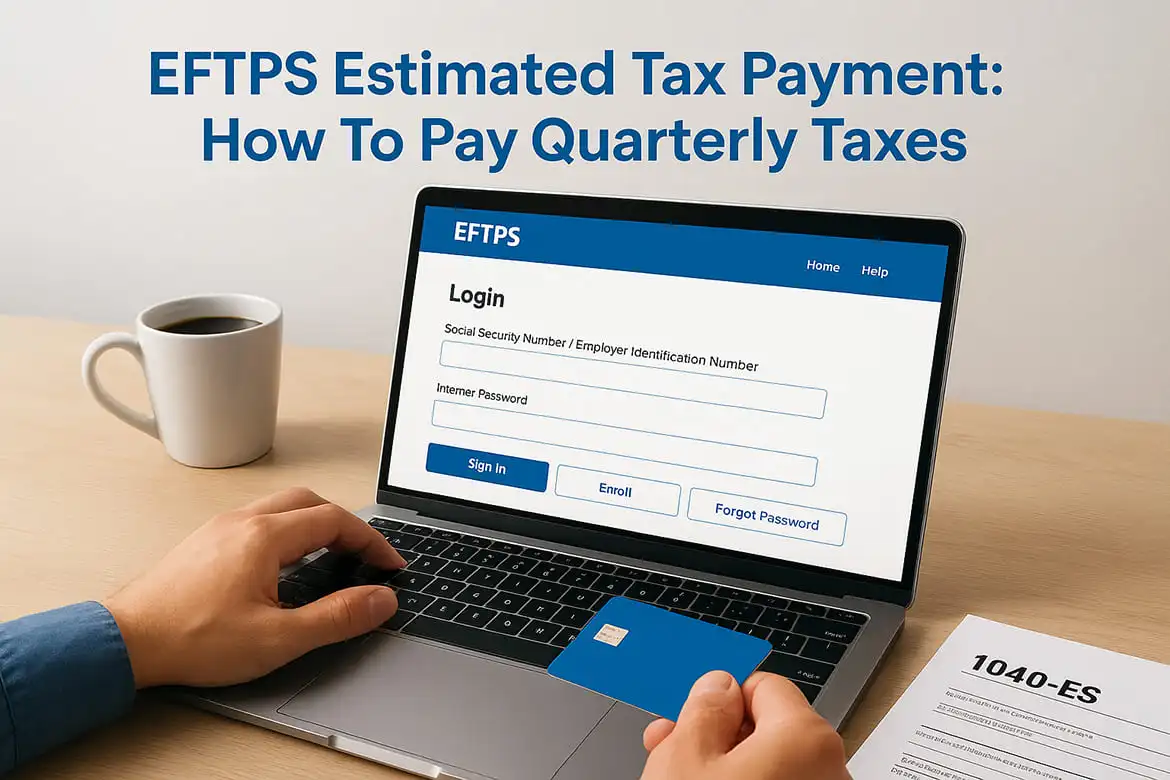
EFTPS Estimated Tax Payment: How To Pay Quarterly Taxes
If you're self-employed, a freelancer, or a small business owner, the IRS expects you to pay taxes as you earn, not just once a year. That means quarterly estimated tax payments, and one of the most reliable ways to make them is through the EFTPS estimated tax payment system. It's free, it's run by the U.S. Department of the Treasury, and it gives you direct control over when and how your payments hit the IRS.
Still, the enrollment process and payment steps aren't exactly intuitive. Many taxpayers struggle with EFTPS the first time around, from creating an account to actually scheduling a payment before the deadline. A missed or late payment can trigger penalties that add up fast.
This guide walks you through everything, how to enroll, how to log in, and how to schedule your quarterly estimated tax payments step by step. And if you'd rather skip the DIY route entirely, TaxesToday offers professional tax preparation and filing services that include helping self-employed individuals and small business owners stay on top of their estimated tax obligations throughout the year.
What you need before you use EFTPS
Before you make your first EFTPS estimated tax payment, gather the right information in one place. The system is straightforward once you have everything ready, but showing up unprepared will slow you down or force you to restart mid-enrollment, which wastes time you do not have close to a quarterly deadline.
Your personal and business information
EFTPS ties your payments directly to your IRS tax records, so the information you enter during enrollment must match exactly what the IRS has on file. Even a small mismatch in your name or taxpayer ID will cause your enrollment to fail.
Make sure the name and EIN or SSN you enter match your most recently filed tax return exactly.
You will need:
- Your legal name as it appears on your tax return
- Your Social Security Number (SSN) or Employer Identification Number (EIN)
- Your current mailing address on file with the IRS
- A valid phone number the IRS can use to reach you
Your bank account details
EFTPS pulls payments directly from your bank account through the ACH network. You need a U.S.-based checking or savings account to use the system. Prepaid debit cards and credit cards are not accepted.
Have your bank routing number and account number ready before you start. You can find both at the bottom of a personal check or through your bank's online portal. Double-check these numbers carefully, because an incorrect routing number will cause your payment to fail without an immediate error notification.
Quarterly estimated tax due dates
Missing a due date triggers IRS underpayment penalties, so know the schedule before you log in to schedule anything. The IRS sets four deadlines each year, and they are not evenly spaced.
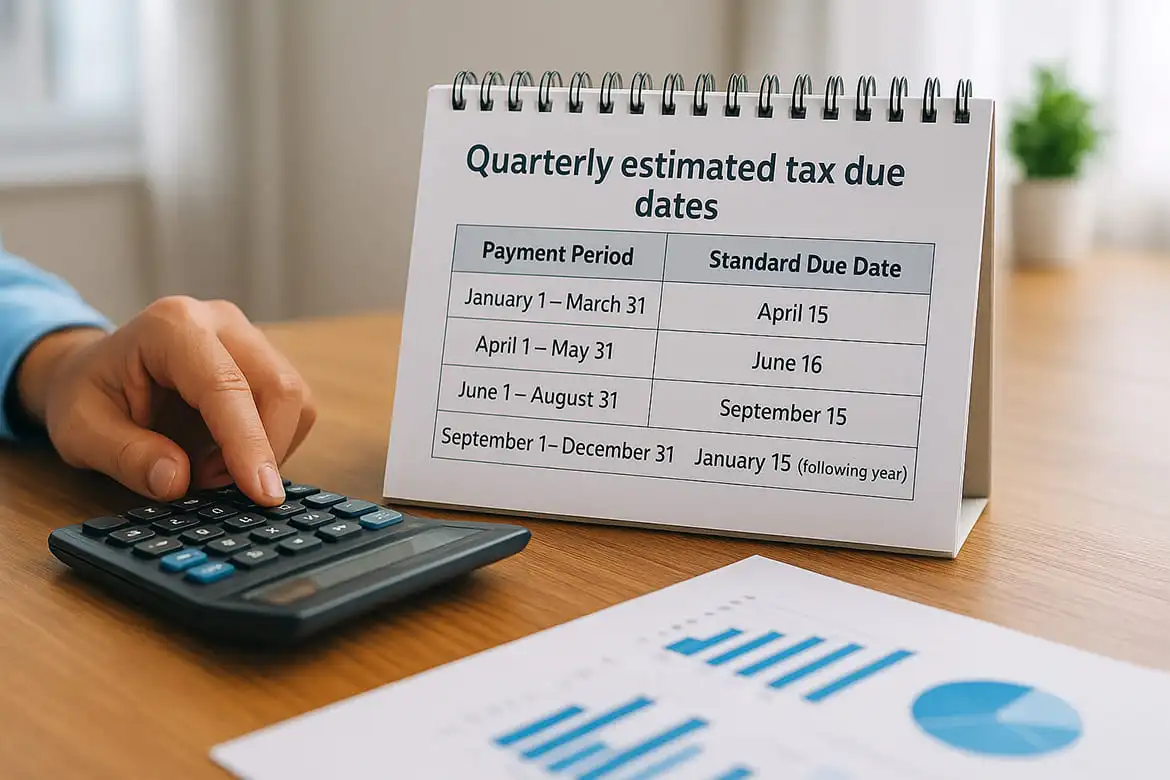
| Payment Period | Standard Due Date |
|---|---|
| January 1 - March 31 | April 15 |
| April 1 - May 31 | June 16 |
| June 1 - August 31 | September 15 |
| September 1 - December 31 | January 15 (following year) |
Watch for weekend and holiday shifts, since the IRS moves any deadline that falls on a weekend or federal holiday to the next available business day.
Step 1. Enroll and get your EFTPS PIN
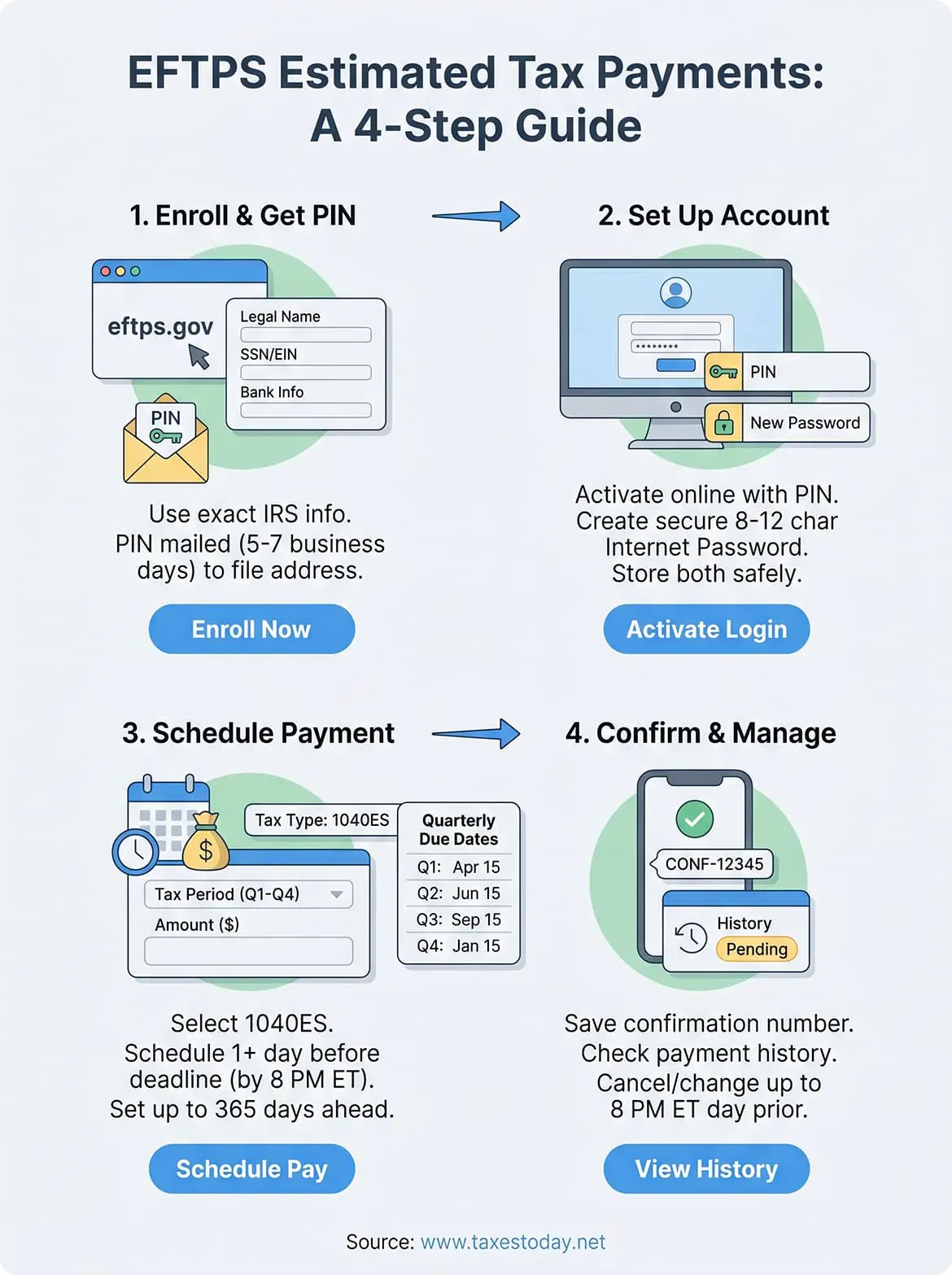
Enrollment is the first and most time-sensitive part of the process. The EFTPS system mails your PIN to the address the IRS has on file, and that delivery typically takes five to seven business days. If you are enrolling close to a quarterly deadline, you may need to arrange an alternative payment method while you wait.
Go to the EFTPS enrollment page
Head to eftps.gov and click "Enroll" on the homepage. From there, select whether you are enrolling as an individual or a business, then enter the information you gathered in the previous section. The system will prompt you for your SSN or EIN, your legal name, your mailing address, and your bank account details.
Enter your name exactly as it appears on your most recent federal tax return, including any middle initials or suffixes, to avoid a mismatch rejection.
Work through each field carefully and review everything on the confirmation screen before you submit. A single typo in your bank routing number will cause your first eftps estimated tax payment to fail without an obvious error message.
What to expect after you enroll
Once you submit, EFTPS sends a paper PIN letter to your mailing address on file with the IRS. You cannot access the payment portal until that PIN arrives. Keep the envelope, since the PIN is what you will use to activate your online account in the next step.
Step 2. Set up your online account and log in
Once your PIN letter arrives, you have everything you need to activate your online account. This step converts your enrollment into a working login so you can schedule your first eftps estimated tax payment before your next quarterly deadline.
Activate your account with your PIN
Go back to eftps.gov and click "Log In" on the homepage. Enter your EIN or SSN, your PIN from the mailed letter, and your bank account number. The system will then prompt you to create a personal Internet password between 8 and 12 characters, using a mix of letters and numbers. Write this password down somewhere secure, because EFTPS does not offer a standard password reset through email.
Your Internet password is separate from your PIN. You need both to log in, so store them together in a safe place.
Log in and access your account
After you set your password, log in using your taxpayer ID, PIN, and Internet password. EFTPS will bring you to your account dashboard, where you can view payment history, scheduled payments, and tax type options. Take a few minutes to confirm your bank account information displays correctly before you move on to scheduling a payment. If anything looks wrong, contact EFTPS customer service at 1-800-555-4477 to correct it before your next due date.
Step 3. Schedule a quarterly estimated payment
With your account active, you are ready to make your eftps estimated tax payment. The scheduling process takes under five minutes once you know where to click. EFTPS lets you schedule payments up to 365 days in advance, which makes it easy to set up all four quarterly payments at the start of the year.
Navigate to the payment section
From your account dashboard, click "Make a Tax Payment" in the main menu. You will see a list of federal tax types. For quarterly estimated taxes, select "1040ES" if you are an individual or sole proprietor. Business filers using an EIN should select the tax type that matches their entity.
Schedule your payment at least one calendar day before the deadline. EFTPS requires payments to be submitted by 8:00 PM ET the day before the due date.
Enter your payment details
On the payment screen, you will fill in three fields: tax period, payment amount, and payment date. The tax period corresponds to the quarter you are paying for. Your payment amount should reflect what you calculated using IRS Form 1040-ES or your tax professional's estimate for that quarter.
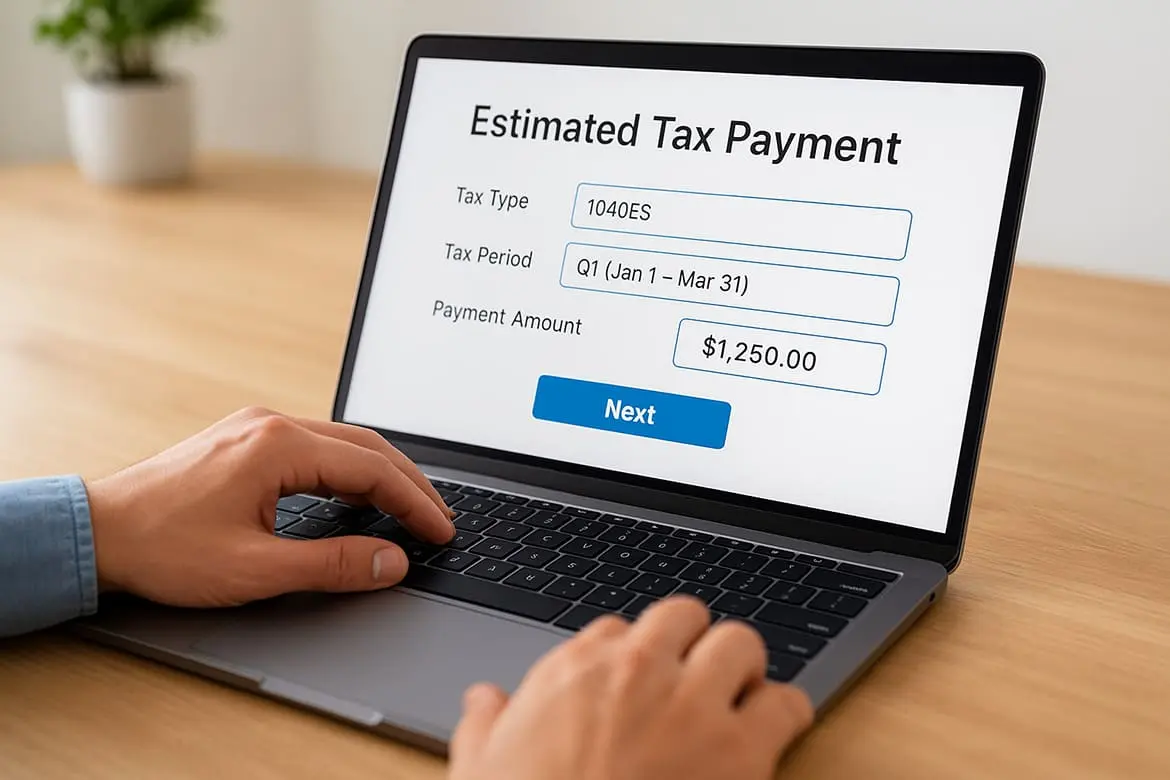
Here is an example entry for a Q1 payment:
| Field | Example Entry |
|---|---|
| Tax Type | 1040ES |
| Tax Period | Q1 (Jan 1 - Mar 31) |
| Payment Amount | $1,250.00 |
| Payment Date | April 14 |
Review each field, then click "Next" to move to the confirmation screen.
Step 4. Confirm, change, or cancel a payment
After you submit a payment, EFTPS sends a confirmation number to your screen immediately. Copy that number and save it, because it is your only proof that the eftps estimated tax payment was successfully submitted. The system does not send a confirmation email by default, so write it down or take a screenshot before you navigate away.
Verify your confirmation number
Check your payment history tab in the EFTPS dashboard within 24 hours of submitting. Your scheduled payment should appear with a status of "Pending" until it processes on the selected date. If the payment does not show up, call EFTPS customer service at 1-800-555-4477 before your deadline, since a missing record means the submission may not have gone through.
Keep your confirmation number until the payment clears your bank account and appears in your IRS account history.
Change or cancel before the deadline
EFTPS allows you to modify or cancel a scheduled payment up to 8:00 PM ET the day before the payment date. To cancel, log in, navigate to "Payments", locate the pending transaction, and select "Cancel." To change the amount or date, cancel the existing payment and schedule a new one with the corrected details. You cannot edit a payment in place, so canceling and resubmitting is the only option. After 8:00 PM ET the night before, the payment locks and cannot be stopped.
Next steps
You now have a clear path from enrollment to your first eftps estimated tax payment. Start by confirming your IRS mailing address is current before you enroll, since your PIN goes to whatever address the IRS has on file. Once your PIN arrives, activate your account, set your Internet password, and schedule all four quarterly payments at once so you are not scrambling before each deadline.
Keeping track of how much to pay each quarter is a separate challenge. Your payment amount depends on your net self-employment income, deductible expenses, and applicable credits, and getting that number wrong leads to either underpayment penalties or a large refund you could have used throughout the year.
If you want a professional to calculate your quarterly estimates, review your prior returns, and make sure you are not overpaying, get expert tax help from TaxesToday and work with an IRS-registered, CTEC-certified preparer who handles self-employed and small business returns every day.