



How To Chat With A Tax Expert Online (Free & Low-Cost)
Tax season brings stress. You have questions about deductions, confusion about forms you need to file, or uncertainty about whether you should claim something. Calling a tax pro means waiting on hold. Booking an appointment means planning days or weeks ahead. What if you could chat with a tax expert right now and get answers while you work on your return?
You can. Several tax software companies and professional tax services offer live chat features with certified tax experts. Some options are completely free, while others charge reasonable fees that beat traditional appointment costs. The key is knowing where to find these services and how to use them effectively.
This guide shows you exactly how to access online tax chat support. You'll learn what type of help works best for your situation, where to find free versus paid options, what information to prepare before starting a chat, and how to ask questions that get useful answers. By the end, you'll know how to get professional tax guidance without leaving your computer.
Why online tax chat is worth using
Live chat with tax professionals saves time compared to traditional methods. You skip the phone queue and avoid scheduling appointments weeks out. Most services connect you with an expert in under five minutes, and you can multitask while waiting for responses. This means you fix issues or get clarification without stopping your entire tax filing process.
Chat gives you written records of every answer. Unlike phone calls where you scribble notes or try to remember advice, chat conversations stay in your message history. You can reference the exact guidance a tax expert gave you when you file your return or if the IRS questions something later. This documentation protects you and keeps you organized.
The format also removes pressure. You can reread explanations, take time to formulate follow-up questions, and work at your own pace. Phone calls rush you. In-person appointments require travel and scheduling. Chat lets you get help while actively filling out forms, which means you apply expert advice immediately instead of trying to remember it later.
Live chat support gives you professional tax guidance without the scheduling hassles or phone hold times of traditional services.
Step 1. Decide what kind of tax help you need
Different tax situations require different levels of support. Quick clarifications about standard deductions or filing status work perfectly through chat. Complex scenarios involving business losses, foreign income, or amended returns might need more than a brief conversation. Understanding your situation helps you pick the right chat service and avoid frustration.
Quick questions vs complex situations
Simple questions get simple answers. You need basic clarification on whether to itemize deductions, which forms apply to your W-2 income, or how to report cryptocurrency sales under $1,000. These questions fit perfectly into free chat options because an expert can answer them in five minutes or less.

Complex situations demand deeper consultation. If you run a business, rent properties, or deal with international tax obligations, you need an expert who can review documents and explain multi-step processes. Basic chat might start the conversation, but you'll likely need paid consultation or full-service preparation.
Match your need to chat features
Free chat services typically limit session time and question depth. You get one or two exchanges before the system suggests upgrading. This works when you need to chat with a tax expert about straightforward issues like choosing between standard and itemized deductions.
Match your tax complexity to the right chat service level to avoid running into time limits or feature restrictions mid-conversation.
Paid options give you unlimited follow-ups, screen sharing, and document review. These features become essential when your questions involve reviewing specific forms or calculating exact deduction amounts.
Step 2. Compare free and low cost expert options
Several tax software companies and professional firms offer chat access to tax experts at different price points. The free options give you basic support with limitations, while low-cost paid services remove restrictions and provide deeper assistance. Knowing exactly what each option includes helps you choose the service that fits both your budget and your tax situation.
Free chat services
H&R Block includes free chat support when you use their Plus, Deluxe, Premium, or Self-Employed online products. You get unlimited chat access throughout your filing process, and experts answer questions Monday through Sunday from 7 a.m. to midnight Central Time. The catch is you must purchase one of these paid filing products, which start around $50 depending on your tax complexity.

IRS.gov offers a different type of free resource. Their Interactive Tax Assistant provides automated answers to common questions through a chat-like interface, but you're not speaking with a human expert. This works well for straightforward tax law questions but won't help with personal filing decisions.
Low-cost paid options
TaxesToday.net provides professional tax consultation starting at $99 for a complete return review. You get direct access to licensed tax preparers through virtual meetings or in-person appointments in California. Unlike chat-only services, these sessions let you share documents, discuss complex scenarios, and receive personalized filing strategies.
Paid consultation services typically cost $100 to $150 but include document review and personalized strategy, which basic chat cannot provide.
FreeTaxUSA charges $7.99 for Pro Support, which adds the ability to schedule phone calls with tax experts. This supplements their chat feature and gives you flexibility to chat with a tax expert or speak directly when issues get complicated. Jackson Hewitt offers phone and chat support through their 1-800-234-1040 number, with pricing based on your specific filing needs.
Step 3. Gather what you need before you start chatting
Preparation speeds up your chat session and helps you get better answers. Tax experts can't see your forms or financial details unless you provide them, so having key information ready before you start prevents frustrating back-and-forth exchanges. You'll get clearer guidance when experts understand your complete situation from the beginning.
Personal information and documents
Pull together your basic tax documents before clicking that chat button. You need your Social Security number, filing status, and income information from W-2s or 1099 forms. If your question involves specific deductions or credits, have those supporting documents open on your computer.
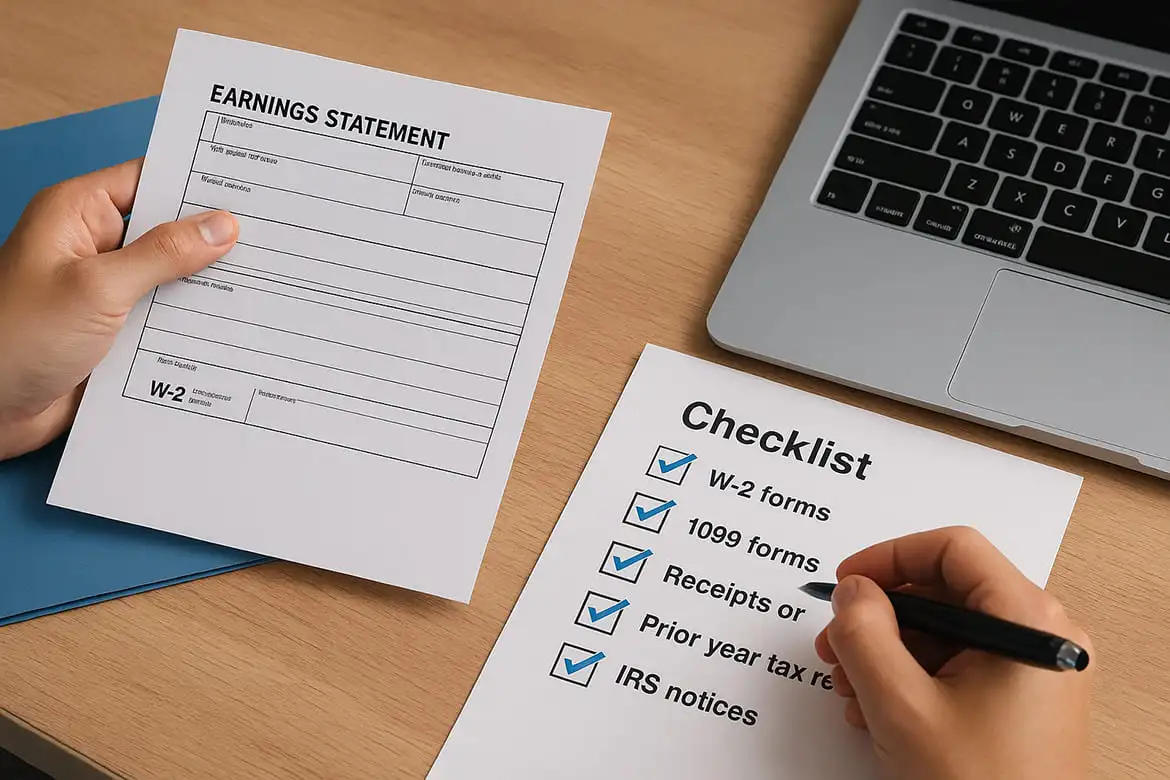
Organize these items in a checklist:
- W-2 forms from all employers
- 1099 forms for freelance income, investment income, or retirement distributions
- Receipts or records for deductions you're questioning
- Prior year tax return if comparing or amending
- IRS notices if you received any correspondence
Specific questions written down
Write out your exact questions before you chat with a tax expert. Vague questions like "What about my business expenses?" waste time. Specific questions like "Can I deduct my home internet bill if I use it 60% for freelance work?" get actionable answers immediately.
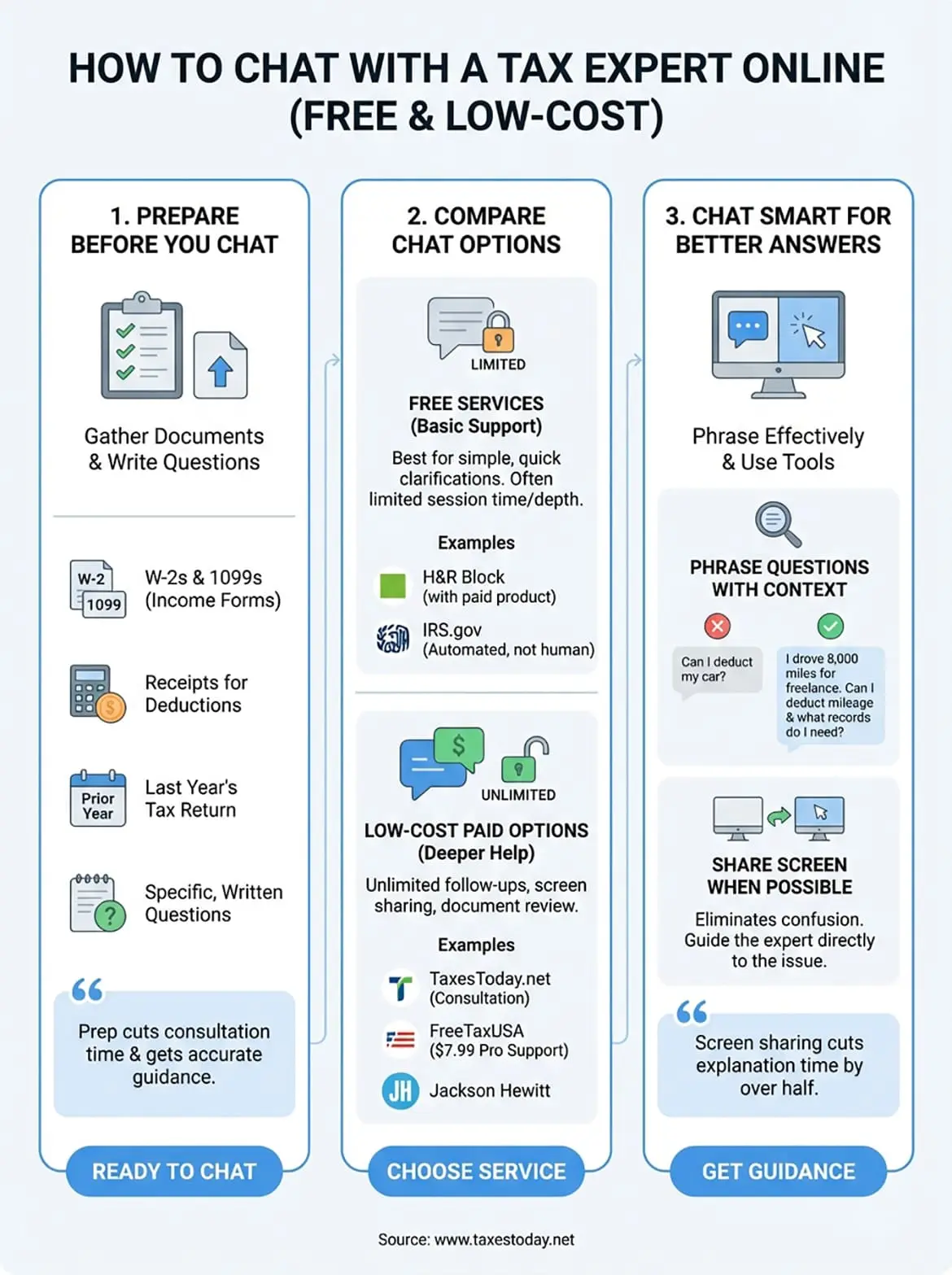
Preparing specific questions before your chat session cuts consultation time in half and helps experts give you accurate, actionable guidance.
Step 4. Start your chat and ask smarter questions
Once you connect with a tax expert, the quality of your conversation depends on how you frame your questions. Chat experts handle dozens of conversations daily, so clear, specific questions get you faster and more accurate answers. Avoid typing "I have a tax question" and waiting for the expert to ask what it's about. Instead, lead with your specific situation and the decision you need help making.
How to phrase your questions effectively
Good questions include context and specific numbers. Instead of "Can I deduct my car?" ask "I drove 8,000 miles for freelance work in 2025. Can I deduct mileage, and what records do I need?" This format gives the expert everything they need to calculate your deduction and explain documentation requirements immediately.

Use these question templates when you chat with a tax expert:
- "I earned $[amount] from [source]. Which form do I report this on?"
- "I spent $[amount] on [expense] for [purpose]. Is this deductible?"
- "My situation is [description]. Should I [option A] or [option B]?"
- "The software flagged [issue]. What does this mean for my return?"
Share your screen when possible
Most paid chat services let you share your screen with the tax expert. This feature eliminates confusion about which form or line item you're discussing. Instead of describing "the box on the middle of page 2," you point directly to what confuses you while the expert watches.
Screen sharing turns a text-based chat into a guided walkthrough, cutting explanation time by more than half.
Enable screen sharing as soon as the expert offers it. You maintain control of your computer while they guide you through specific steps or review calculations in real time.
Next steps
You now know how to chat with a tax expert through multiple channels. Start with free options if your questions are straightforward, or invest in paid consultation when your tax situation involves business income, deductions, or amended returns. The right choice depends on your complexity level.
Professional tax preparation services provide comprehensive support beyond quick chat answers. Licensed preparers review your complete return, maximize deductions, and handle complex filings that basic chat cannot address.